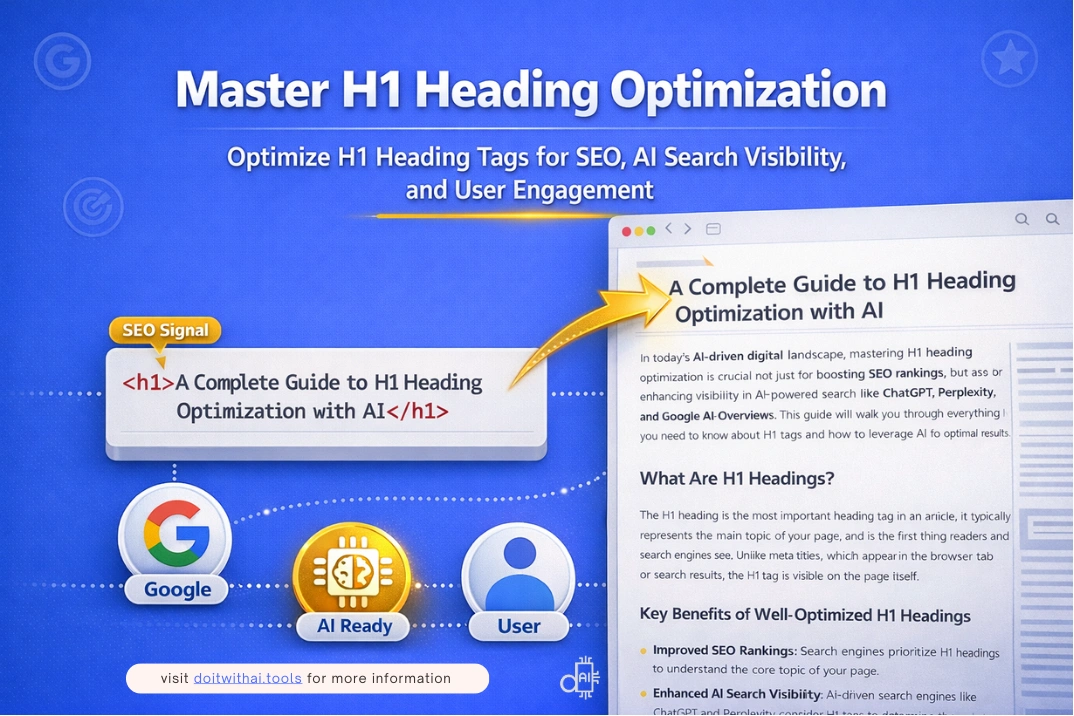

AI Tools Expert & Founder
Table of Contents
Your H1 heading is the first impression your content makes, not just on readers, but on search rankings and AI-generated answers that interpret billions of web pages every day.
Yet most websites get it wrong, even when everything else looks “SEO-optimized.” This usually happens because the H1 is misunderstood.
Many site owners confuse the H1 title with the meta title and reuse the same text. Others try to force rankings by stuffing keywords into the H1, while some pages don’t define a clear H1 at all.
What often gets overlooked is the real role of the H1 tag. It is the first thing users see when they land on a page, and one of the strongest signals search engines and AI systems use to understand what the content is actually about.
A strong H1 clearly defines the main topic, confirms user intent within seconds, and ties together your meta title, slug URL, content, and schema into one consistent message.
A vague or poorly written H1, on the other hand, can confuse both users and machines, even if the rest of the page is well optimized.
This comprehensive guide cuts through the noise with actionable strategies to help you write H1 headings that rank, convert, and perform well across modern search platforms.
You’ll learn:
What an H1 heading really is and why it matters for AI-assisted SEO
Proven best practices and how H1 headings differ from meta titles
How free AI tools, including ChatGPT, can help you generate and optimize H1 headings while keeping them natural and easy to read
By the end, you’ll know exactly how to write H1 headings that make sense to users, perform well in search, and fit seamlessly into a modern, AI-assisted SEO workflow.
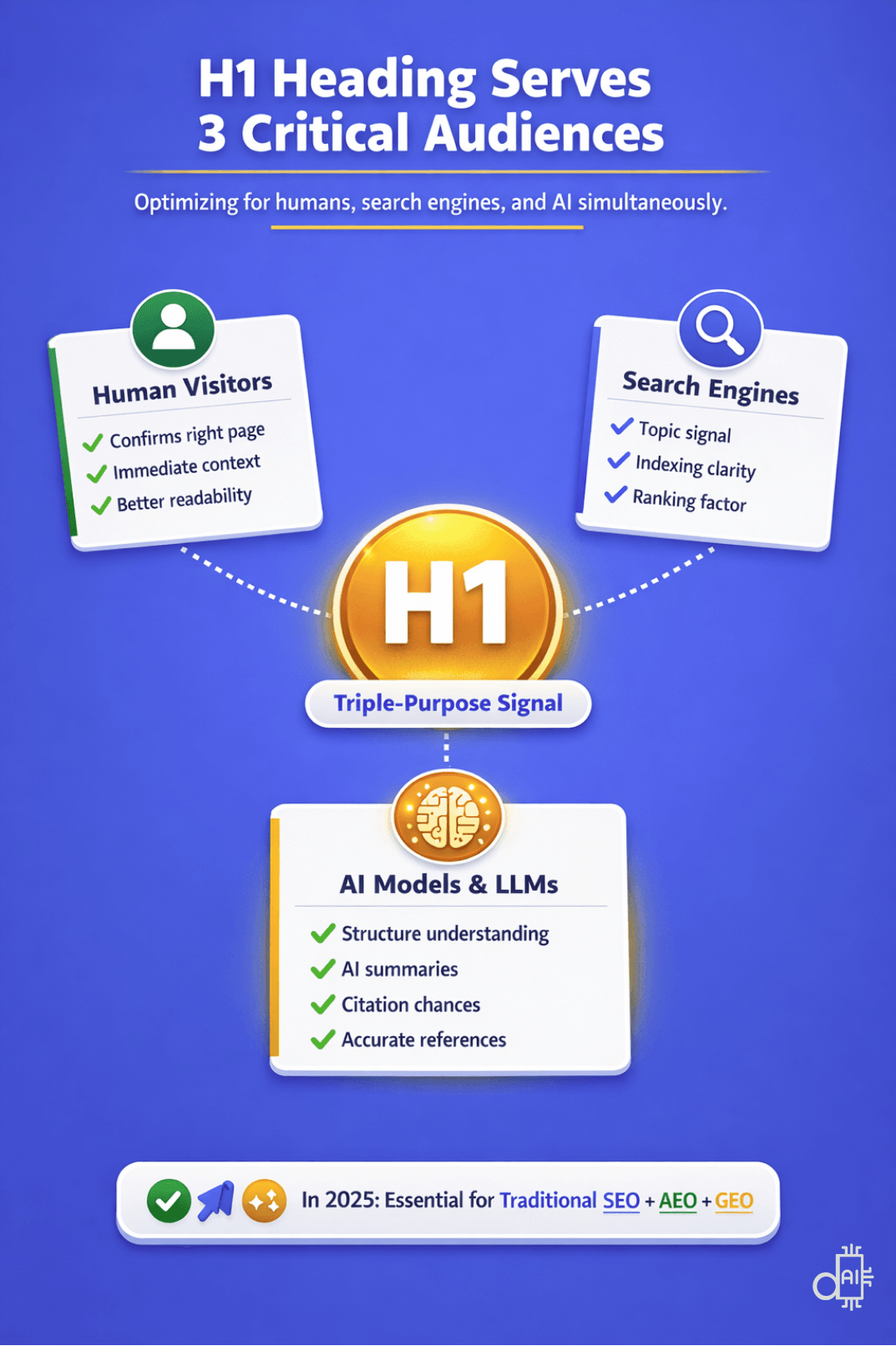
To stay competitive in 2026, your h1 title must serve as a "Triple-Purpose Signal" that satisfies human readers, search algorithms, and AI models all at once.
Understanding the Content Hierarchy: Where H1 Fits in Your SEO Strategy
Before diving deep into H1 optimization, it's essential to understand how your H1 title fits within the broader on-page SEO hierarchy.
Search engines and AI models don't read your content randomly; they follow a structured path, evaluating multiple elements to understand your page's topic and relevance.
The Content Reading Sequence
When search engines and AI systems crawl your page, they process elements in this order:
1. URL Slug - The first signal about your page topic appears in your URL structure. A clean, keyword-rich slug like /h1-heading-optimization immediately tells search engines what to expect. Learn how to write SEO-friendly URL slugs
2. Meta Title - Before users even click, your meta title communicates your page's value proposition in search results. It's the promise you make to searchers. Master meta title optimization here.
3. Schema Markup Title - Structured data provides additional context through schema titles, helping search engines and AI models categorize your content accurately for rich results and AI citations. Discover schema markup optimization strategies.
4. H1 Heading Tag - This is where your on-page content truly begins. The H1 is the first visible element users see after clicking through, and it's the primary signal AI models use to understand your content's main topic before parsing the rest of your page.
Why This Hierarchy Matters
Understanding this sequence helps you create consistency across all four elements. When your URL slug, meta title, schema title, and H1 title align strategically, each reinforcing the same core topic with slight variations, you send powerful, unified signals to both search engines and AI systems.
In this guide, you'll master the fourth critical element: the H1 heading tag.
By the end, you'll know how to craft H1s that complement your other optimized elements and complete your on-page SEO foundation.
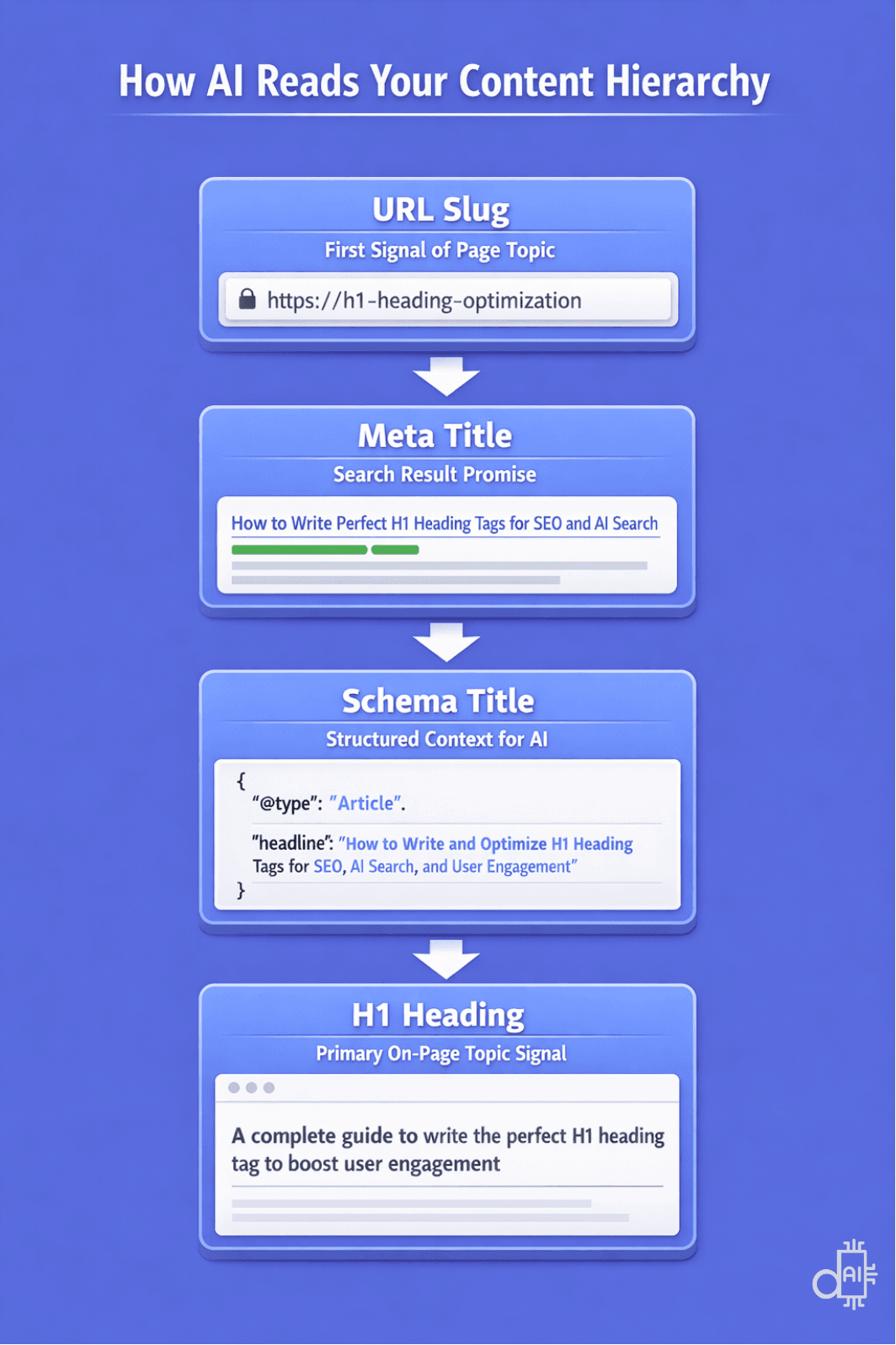
You can master your on-page SEO by understanding exactly how AI systems and search engines crawl your content in a specific sequence.
What Is an H1 Heading?
An H1 heading, also called the H1 tag, is the main title of a webpage. It appears at the top of the page and represents the primary topic of the content. At a glance, it tells users, search engines, and AI systems what the page is about.
Basic Definition of an H1 Heading
The H1 acts as the page’s primary headline. It is usually the largest and most visible text on the page, making it easy for visitors to understand the main topic immediately.
How an H1 Works in HTML
In HTML, an H1 is written using the <h1> tag:
<h1>Your Main Heading</h1>
Anything inside the <h1> tag is rendered as the most important heading on the page. This creates a bold, prominent headline that clearly defines the page’s main topic.
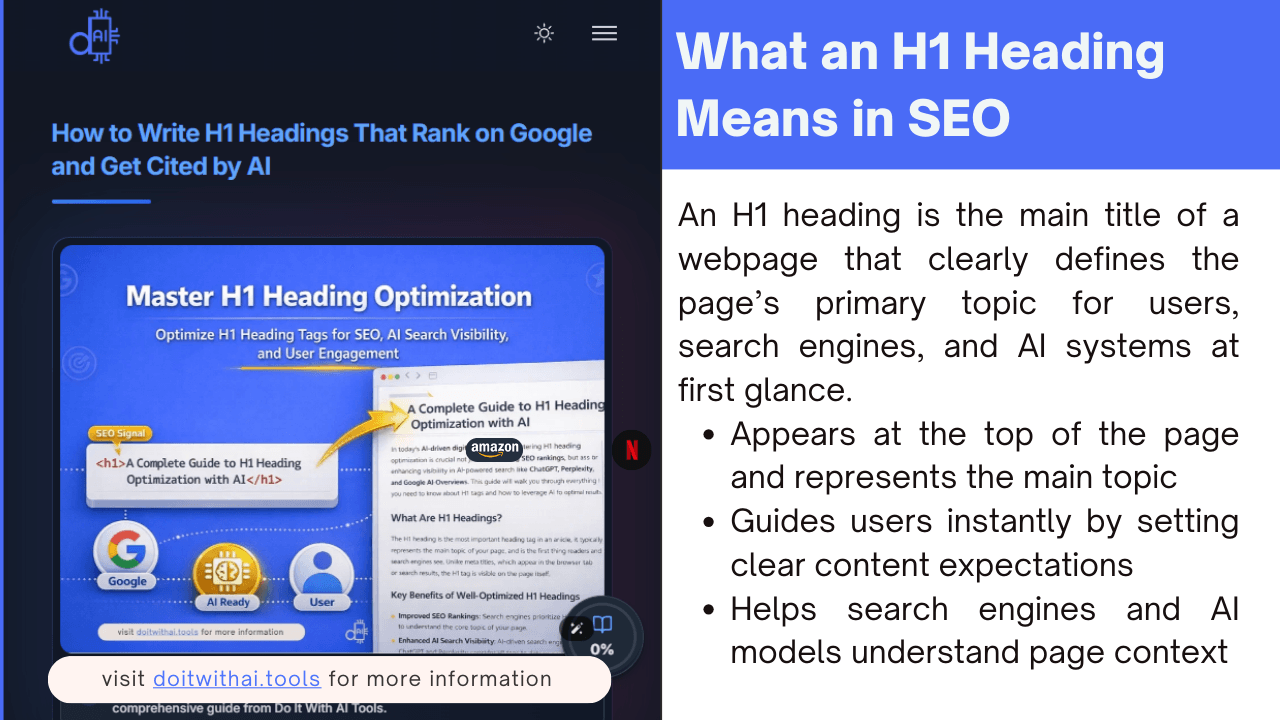
Understanding what an h1 title means in SEO is the first step toward building a high-authority website that resonates with both human readers and search algorithms.
Technical Definition of the H1 Heading Tag
From a technical perspective, the H1 tag is the highest-level heading in HTML.
HTML uses six heading levels, from <h1> to <h6>, to structure content in a clear hierarchy.
H1 in the HTML Heading Hierarchy
The heading hierarchy helps:
- Browsers display content correctly
- Screen readers improve accessibility
- Search engines understand page structure
- AI models interpret content context
Why Heading Hierarchy Matters
A clear hierarchy ensures both humans and AI systems can understand how information is organized. The H1 signals the main topic, while lower headings like H2 or H3 indicate subtopics.
Example of an H1 Tag in HTML
<h1>A Comprehensive Guide to Meta Title Optimization for SEO and AI Visibility</h1>
Here:
- The browser displays this as the main page heading
- Search engines and AI systems interpret it as the page’s primary subject
If you inspect a webpage using View Page Source or developer tools, the H1 usually wraps the core title that defines the page’s purpose.
Although simple in code, the H1 plays a critical role in content clarity, accessibility, and SEO, helping answer engines and AI understand the main topic.
Visual Appearance of an H1 Heading
Your H1 is the largest, most eye-catching text on the page. Typically, it is positioned:
- At the very top of the content
- Immediately below the navigation or header section
- Styled to be bold and prominent
Most website themes and content management systems automatically format H1 text to stand out from body text and subheadings.
Primary Purpose of an H1 Heading
An H1 heading serves three key audiences simultaneously: humans, search engines, and AI models, which is the core philosophy we follow at Do It With AI Tools.
How H1 Headings Help Human Visitors
- Confirms they are on the right page
- Provides immediate context about the content
- Improves readability and user experience
How H1 Headings Help Search Engines
- Delivers a clear signal about the page topic and focus keyword
- Helps with indexing and relevance scoring
- Supports traditional SEO ranking factors
How H1 Headings Help AI Models and LLMs
- Enables AI like ChatGPT, Claude, or Gemini to understand content structure
- Improves content extraction for AI-generated summaries
- Increases chances of being cited in AI overviews and conversational search results
- Helps platforms like Perplexity or SearchGPT accurately reference your content
This triple-purpose role makes H1 optimization essential for both traditional search visibility and AI-powered search systems in 2025.
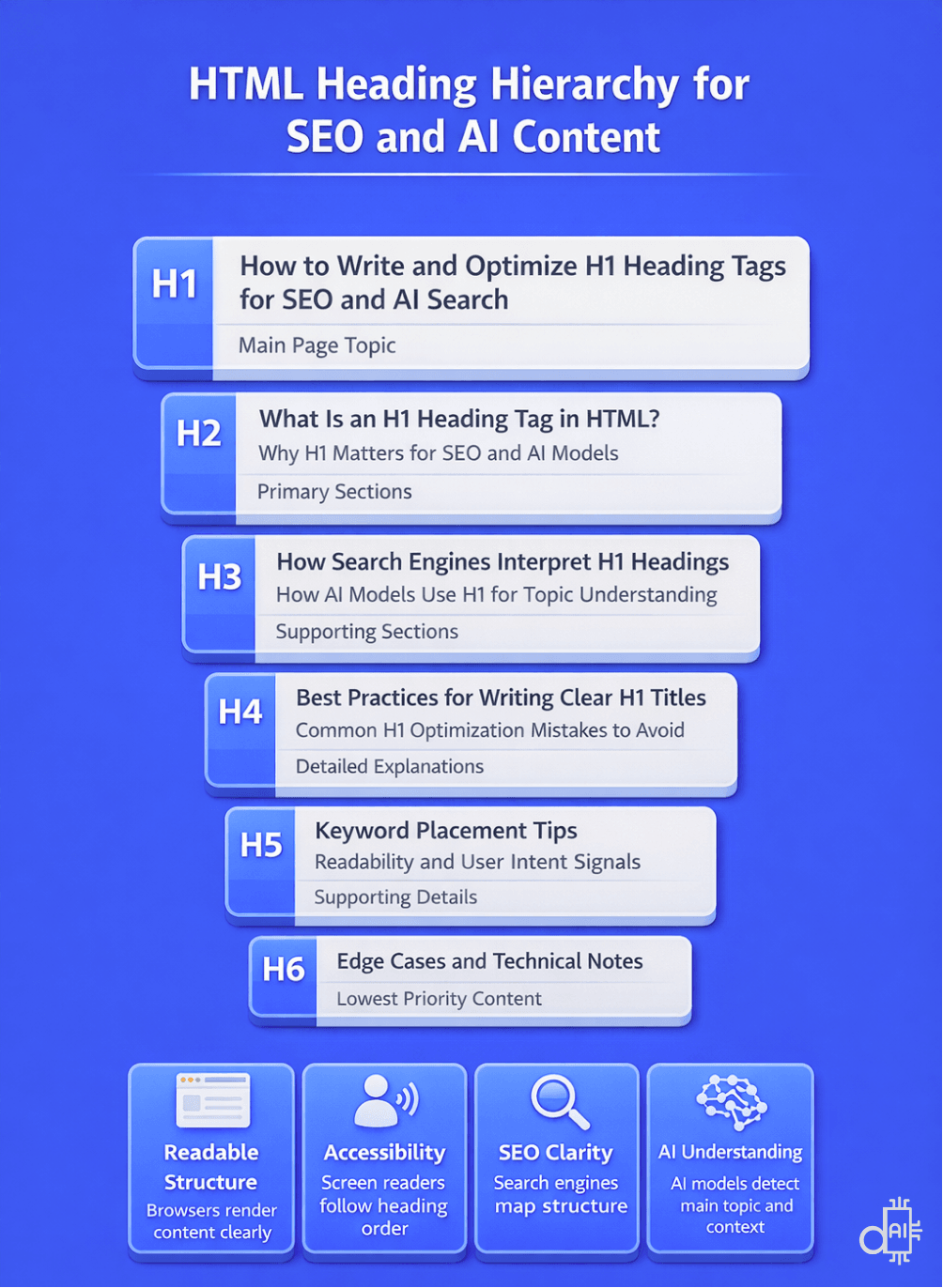
Seeing how headings cascade from the main topic to detailed explanations shows why structure is just as important as the words themselves.
Meta Title vs H1 Heading: What’s the Difference?
Many content creators confuse the meta title with the H1 heading. While they can look similar, they serve different roles in on-page SEO, user experience, and AI-driven search systems.
Understanding these differences helps you optimize each element properly—for better rankings, higher click-through rates, and clearer AI interpretation.
Can Meta Titles, H1s, Schema Titles, and URLs Be the Same?
Yes—technically, there is no problem at all.
You can use the same text for:
- Meta title
- H1 heading
- Schema title
- Slug URL
Many websites do exactly this, especially:
- Small blogs
- Product pages
- Basic content sites
- Early-stage projects
From a technical SEO standpoint, this will not break anything.
However, if you want your content to:
- Feel more professional
- Stand out to users
- Signal higher quality to search engines
- Perform better in AI-powered search results
…then understanding why these elements exist separately — and how to use them intentionally — makes a real difference.
Side-by-Side Comparison: Meta Title vs H1 Heading
Key Functional Differences
Meta Title: The Promise
The meta title lives inside your page’s <head> section and is not visible on the page itself.
Its main role is to:
- Appear as the clickable link in search results
- Compete for attention in crowded SERPs
- Influence whether users click your result
- Perform well in AI-generated summaries and citations
Important things to know:
- It is optimized for search result pages, not readers on your site
- Google can rewrite it if it feels misleading or poorly optimized
H1 Heading: The Delivery
The H1 heading is the main headline users see after they click.
Its role is to:
- Confirm users landed on the right page
- Clearly state what the content is about
- Set expectations for what follows
- Help AI models understand page hierarchy and topic focus
Unlike meta titles:
- The H1 is fully under your control
- Search engines typically do not rewrite it
- It plays a stronger role in content comprehension, not in click attraction
Should Meta Titles and H1 Headings Match?
The Strategic Answer
They should be closely aligned, but not always identical.
Matching them exactly is acceptable.
Differentiating them slightly is often more effective.
When Matching Exactly Makes Sense
Use the same text when:
- You’re creating product pages
- Clarity matters more than creativity
- You’re building navigation or category pages
- Brand consistency is critical
In these cases, simplicity works.
When Differentiation Works Better
Use different—but aligned—versions when:
- Writing blog posts
- Creating service pages
- Publishing how-to guides
- Optimizing for AEO and GEO
Here, each element does a specific job:
- Meta title → optimized for clicks
- H1 → optimized for understanding and engagement
Examples of Strategic Meta Title and H1 Alignment
Below are several real-world examples showing different alignment strategies. Each one serves a specific SEO, AEO, or GEO goal.
Example 1: Question-Based Meta Title + Comprehensive H1
Strategy Used: Question + Guide Expansion
Meta Title: "How to Optimize H1 Tags for Better Rankings"
H1 Heading: "A Comprehensive Guide to Optimizing H1 Headings for SEO and AI Search"
How this strategy wins:
- Targets question-based searches that show up often in featured snippets, AI Overviews, and voice queries.
- Signals to users and AI models that the page offers deep, complete answers—not just quick tips.
- Covers both short instructional intent and long-form guide searches at the same time.
- Helps AI systems pull your content for conversational answers.
Example 2: List-Based Meta Title + Benefit-Driven H1
Strategy Used: Numerical Hook + Benefit Reinforcement
Meta Title: "Top 10 AI Tools for Content Creation in 2025"
H1 Heading: "The Best AI Tools for Creating High-Quality Content Faster"
How this strategy wins:
- Uses "Top 10" to spark curiosity and drive clicks in search results.
- Switches to "Best" and adds speed/quality benefits to feel more natural on the page.
- Targets multiple power words ("Top" vs "Best") without repeating the same phrase.
- Keeps intent consistent while giving AI models slight language variety for richer summaries.
Example 3: Keyword Expansion via H1 (Character Limit Strategy)
Strategy Used: Keyword Expansion Without Title Truncation
Meta Title: "A Comprehensive Guide to On-Page SEO for Beginners"
H1 Heading: "A Comprehensive Guide to On-Page SEO: Keywords, Headings, and Meta Tags for Beginners"
How this strategy wins:
- Avoids character limits and truncation in search results.
- Lets you add extra related keywords (like "headings" and "meta tags") directly on the page.
- Broadens topical coverage for long-tail searches.
- Gives AI systems a clearer, wider view of your content scope—perfect for pillar pages.
Example 4: Click-Optimized Meta Title + Clarity-First H1
Strategy Used: CTR Optimization + Content Confirmation
Meta Title: "SEO Checklist: 50 Essential Steps for 2025"
H1 Heading: "Complete SEO Checklist: 50 Essential Steps to Rank Higher in 2025"
How this strategy wins:
- Sparks interest with numbers and timely relevance to boost click-through rates.
- Removes any doubt the moment users land, adding direct benefits like "Rank Higher."
- Lowers bounce rates by meeting expectations instantly.
- Provides AI tools with a strong, clear topic signal for accurate summaries and citations.
How Small Changes Between Meta Title and H1 Improve AI Search Performance
The examples above show that meta titles and H1 headings don’t exist in isolation. Search engines and AI systems evaluate them together to understand your page’s intent, relevance, and quality.
Google sometimes rewrites meta titles to match the H1 when it believes the H1 better represents the page content. This is why both elements must be accurate, aligned, and intentionally written.
For AI-powered systems:
- Meta titles influence whether your page is selected or referenced
- H1 headings help define what question the page answers
- Clear differentiation improves content extraction, summaries, and citations
If you’re serious about on-page SEO, Answer Engine Optimization (AEO), and Generative Engine Optimization (GEO) in 2026, treating these elements as separate but coordinated signals is the smarter approach.
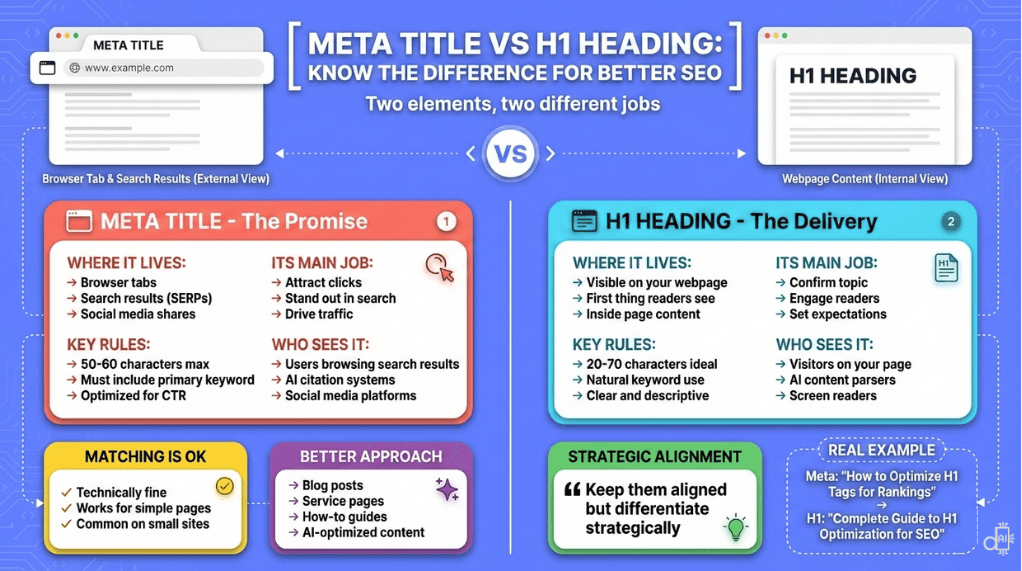
Think of this infographic as a masterpiece to understand everything about meta title and h1 title optimization in one single view. It clarifies how these two essential elements work together to build a strong SEO foundation for your brand.
Why H1 Headings Matter for Humans, SEO, and AI Search in 2026
An H1 heading serves multiple audiences at the same time, but each audience expects something different.
A truly effective H1 balances:
- Clarity and value for human readers
- Relevance and consistency for search engines
- Semantic structure and intent for AI models
When written intentionally, a single H1 can support user engagement, rankings, and AI visibility across all channels.
How H1 Headings Impact Human Users
Your H1 is the first piece of content visitors read after clicking from search results, social media, or AI recommendations. Within seconds, it influences whether they stay, scroll, or leave.
What Human Readers Need From an H1
Instant clarity
Visitors should immediately understand what the page covers—without guessing or rereading.
Benefit-driven language
Strong H1s focus on outcomes or solutions, not vague descriptions.
Example:
✅ How to Reduce Cart Abandonment by 30%
❌ Cart Abandonment Information
Fast scannability
An H1 should be easy to grasp in 2–3 seconds, especially on mobile devices with limited screen space.
Tone alignment
Match the tone to your audience:
- Professional for B2B
- Conversational for lifestyle content
- Action-oriented for tutorials and guides
A well-crafted H1 confirms the promise made in the meta title, reducing bounce rates and improving engagement signals that indirectly support SEO performance.
How H1 Headings Impact Search Engine Rankings
Search engines use H1 tags as a relevance and context signal to understand a page’s primary topic and match it with search queries.
What Search Engines Evaluate in H1s
- Keyword presence
Including your primary keyword helps confirm topical relevance—when done naturally.
Example: If targeting email marketing automation, your H1 should clearly reflect that topic. - Topical alignment
Your H1 should align with:- Meta title
- URL slug
- First paragraph
This consistency creates stronger on-page signals.
- Unique H1 per page
Using the same H1 across multiple pages confuses search engines and can cause keyword cannibalization. - Natural language integration
Over-optimized H1s like “SEO SEO Services SEO Company” harm both trust and usability. Clear, natural phrasing performs better.
While H1s are not the dominant ranking factor they once were, they remain an important classification signal that helps search engines index and understand your content accurately.
How H1 Headings Impact AI Models and Answer Engines
AI-powered systems such as ChatGPT, Perplexity, Google AI Overviews, and SearchGPT rely heavily on content structure. Your H1 often becomes the entry point for AI understanding.
What AI Models Need From H1s
Semantic clarity
AI models read the H1 to determine the main topic before processing the rest of the page. Clear H1s improve comprehension and citation potential.
Question–answer alignment (AEO)
H1s phrased as questions or direct answers perform better in answer engines.
Example:
What Is Schema Markup and Why Does It Matter?
Hierarchical structure support
AI uses heading order (H1 → H2 → H3) to extract meaning. A strong H1 followed by logical subheadings improves summary accuracy.
Natural language patterns (GEO)
Generative engines favor H1s that mirror how people actually ask questions, increasing visibility in conversational responses.
Disambiguation
Specific H1s help AI differentiate your content from similar topics.
Example:
✅ H1 Heading SEO Best Practices for 2025
❌ Heading Best Practices
The 2026 Reality: H1s Are More Than Keywords
In 2025, optimizing H1s is no longer just about placing keywords. It’s about clarity, context, and intent.
A well-optimized H1:
- Guides human readers
- Confirms relevance for search engines
- Helps AI systems accurately summarize and reference your content
If you want your content to perform across traditional search, answer engines, and generative AI, your H1 must be written with all three audiences in mind.
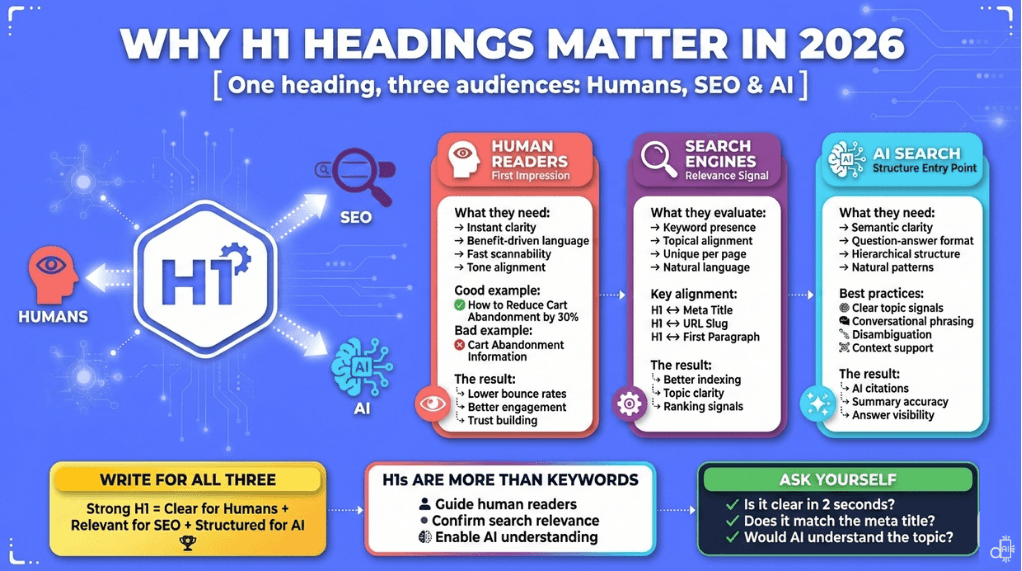
Balancing the needs of human readers, traditional search engines, and modern AI models with a single h1 title is the core strategy for successful content in 2026.
10 Proven H1 Heading Best Practices to Boost SEO and AI Search
Optimizing your H1 heading means balancing technical SEO rules, user experience, and AI comprehension.
A well-written H1 should:
- Rank in search
- Engage users
- Help AI systems understand and reference your content
Follow these best practices to create H1 tags that perform across traditional search, answer engines, and generative AI platforms.
Use Only ONE H1 Tag Per Page
The most fundamental H1 rule is simple:
One page = one H1 tag
This applies to all page types:
- Blog posts
- Product pages
- Homepages
- Service pages
- About and landing pages
This is a crucial step when building a site efficiently and establishing a clear page hierarchy.
Why the Single-H1 Rule Matters
SEO clarity
Multiple H1s dilute relevance signals and confuse search engines about the page’s primary topic.
Content hierarchy
A single H1 establishes structure, with H2s and H3s supporting it logically.
AI parsing efficiency
AI models rely on one clear H1 to identify the main topic before processing subheadings.
Accessibility compliance
Screen readers use H1s for navigation. Multiple H1s create confusion for visually impaired users.
How to Implement the Single-H1 Rule
- Blog posts:
Use the article title as the H1
Example: How to Create SEO-Friendly Content in 2025 - Homepage:
Use your hero headline to describe your core value
Example: AI-Powered SEO Tools for Modern Marketers - About page:
Use a clear company-focused heading
Example: About Do It With AI Tools: Helping Marketers Scale with AI - Product pages:
Product name + key benefit
Example: iPhone 15 Pro – Professional Camera System in Your Pocket - Service pages:
Service + audience
Example: Enterprise SEO Services for B2B SaaS Companies
Common mistake:
Some themes assign H1s to logos or navigation. Always inspect your HTML to confirm only one H1 exists in the main content area.
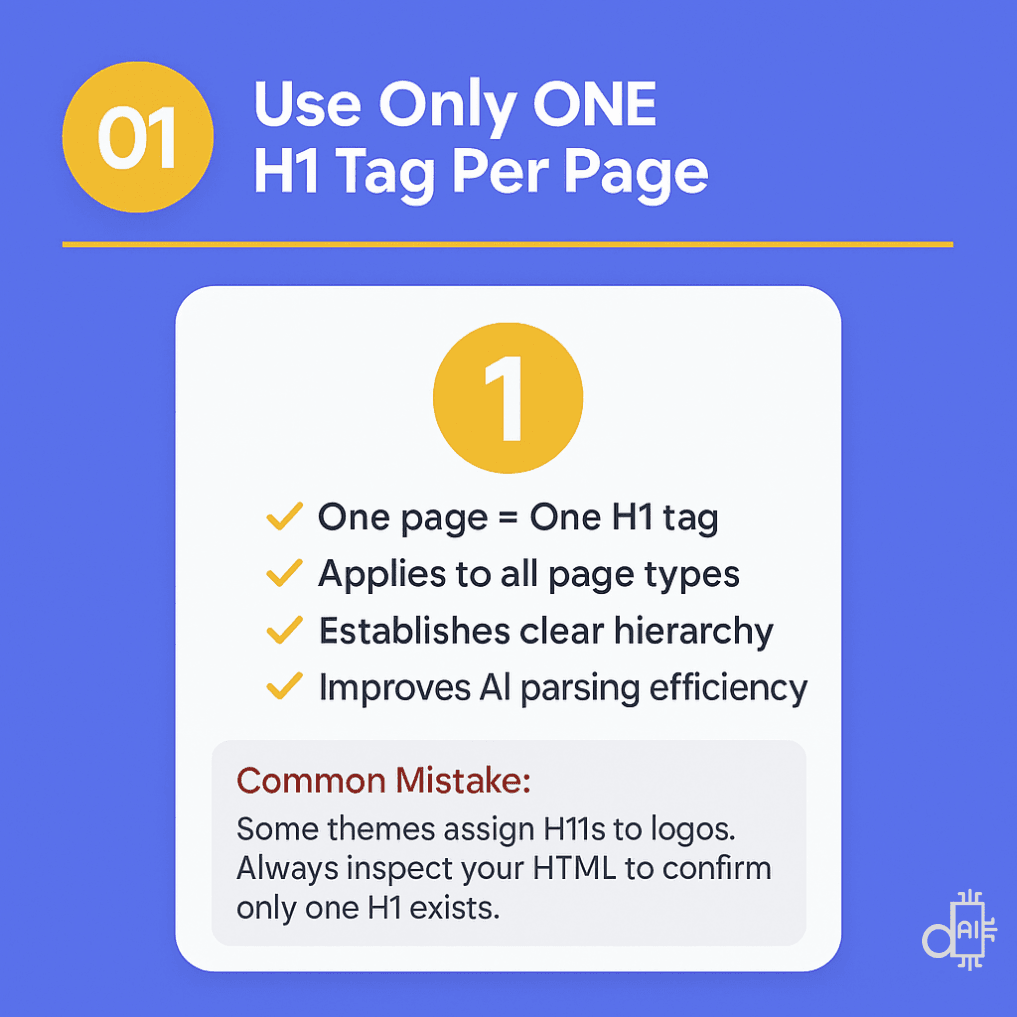
Limiting your webpage to a single h1 title is the most critical step for establishing a clear content hierarchy that search engines and AI models can easily navigate.
Understand the Strategic Difference Between Meta Title and H1
Meta titles and H1 headings often look similar—but they serve different purposes.
Understanding this difference unlocks extra SEO and AI visibility.
Key Strategic Distinctions
Character flexibility
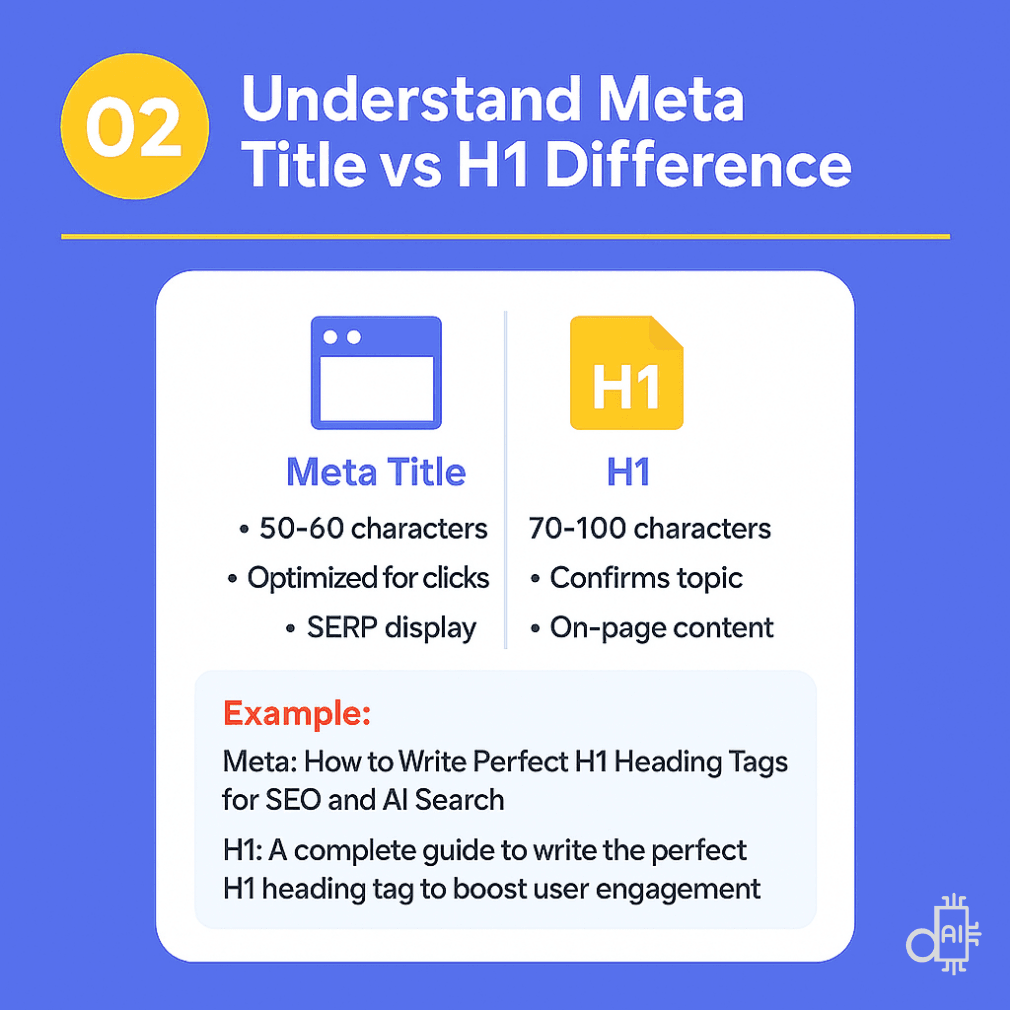
- Meta title: ~50–60 characters
- H1: 70–100 characters (no truncation risk)
Keyword variation
Use slight variations to capture semantic intent.
Example:
- Meta title: Email Marketing Automation Guide
- H1: Complete Email Marketing Automation Guide for Small Businesses
Click vs confirmation
- Meta title → optimized for clicks
- H1 → confirms topic and sets expectations
SERP rewriting protection
Google may rewrite meta titles, but rarely changes visible H1s. Keeping them aligned but distinct gives you control.
Example of Strategic Alignment
- Meta Title:
50 SEO Tips to Boost Rankings Fast - H1 Heading:
50 Proven SEO Tips and Strategies to Boost Your Rankings in 2025
The H1 expands context, adds freshness, and introduces semantic depth.
Optimize H1 Length for Readability and Performance
H1s don’t have strict character limits—but length still matters.
Ideal H1 Length Guidelines
- Recommended range: 20–70 characters
- Maximum threshold: ~100 characters
- Avoid: One-word H1s like “Services” or “Blog”
Why H1 Length Matters
Mobile experience
Most users browse on mobile. 70% of web traffic comes from mobile devices. Long H1s wrap awkwardly and reduce clarity.
Cognitive load
Shorter H1s are easier to process quickly.
AI summarization
AI models prefer concise, descriptive content when extracting answers.
To help these systems understand your page, you can easily improve the readability of your content with AI tools.
Length by Page Type
- Blog posts: 40–70 characters
- Product pages: 30–60 characters
- Homepage: 30–70 characters
- Landing pages: 40–80 characters
- Service pages: 40–70 characters
Pro tip:
If your H1 spans more than 2 lines on mobile, it’s too long.
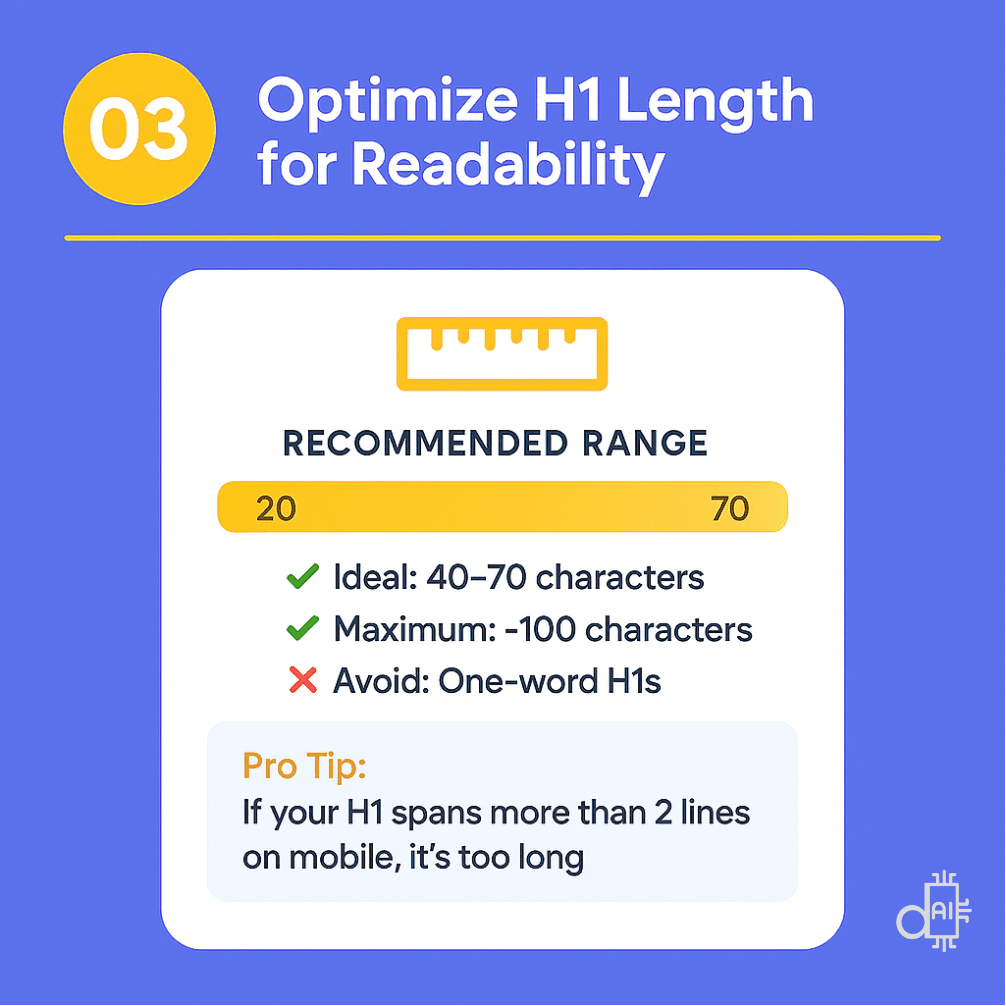
Maintaining an ideal h1 title length between 40 and 70 characters ensures your headline remains punchy for readers while providing enough context for AI crawlers.
Style Your H1 Heading for Visibility and Performance
While H1 styling is often treated as a design choice, it directly impacts user experience, accessibility, page performance, and SEO outcomes.
How your H1 looks affects how quickly users understand your page, and how efficiently browsers and AI systems process it.
Font Size Optimization for H!
Your H1 should be visibly larger than all other text elements on the page, including H2s, H3s, and body copy.
Recommended sizes:
- Desktop: 28–48 pixels
Ensures the H1 stands out as the primary headline without overwhelming the layout. - Mobile: 24–36 pixels
Maintains prominence while respecting limited screen space.
Performance consideration:
Avoid excessively large font sizes (60px or more). Oversized headings can:
- Increase page rendering time
- Negatively affect Core Web Vitals, especially Largest Contentful Paint (LCP)
Why size hierarchy matters:
A clear visual hierarchy helps:
- Users instantly identify the page’s main topic
- Screen readers correctly interpret content structure
- AI systems distinguish primary context from supporting sections
Font Family Selection for H1
Font choice affects readability, professionalism, and loading speed.
Best practices:
- Prefer web-safe or system fonts (Arial, Helvetica, Georgia, Times New Roman)
These load faster and display consistently across browsers. - If using custom fonts:
- Limit to 1–2 font weights for the H1
- Reduce HTTP requests to improve performance
- Avoid decorative or script fonts that sacrifice clarity
Professional standard:
Choose clean, legible fonts that align with your site’s tone. Overly stylized fonts may look creative but often:
- Reduce scannability
- Hurt accessibility
- Appear unprofessional in informational or SEO-focused content
Color Strategy for H1 Headings
Color affects visibility, branding, and accessibility.
Option 1: Brand color
Use your primary brand color to reinforce visual identity.
Example: If your brand color is #5271ff, applying it to H1s creates instant recognition.
Option 2: High contrast (recommended for accessibility)
- Black text on light backgrounds
- White text on dark backgrounds
This ensures compliance with WCAG accessibility standards (minimum contrast ratio of 4.5:1).
Avoid:
Low-contrast combinations like:
- Light gray on white
- Dark blue on black
These reduce readability, especially for users with visual impairments.
CSS Best Practices for H1 Styling
1
2
3
4
5
6
7
8
9
10
11
12
13
h1 {

font-size: 36px;

font-weight: 700;

color: #5271ff; /* or #000 for black */

line-height: 1.2;

margin-bottom: 20px;

}
Performance tip:
Always apply H1 styling through external CSS files, not inline styles. This:
- Enables browser caching
- Reduces HTML file size
- Improves page load performance
Proper H1 styling ensures your headline is visually prominent, fast-loading, accessible, and professional, supporting both user experience and SEO performance.
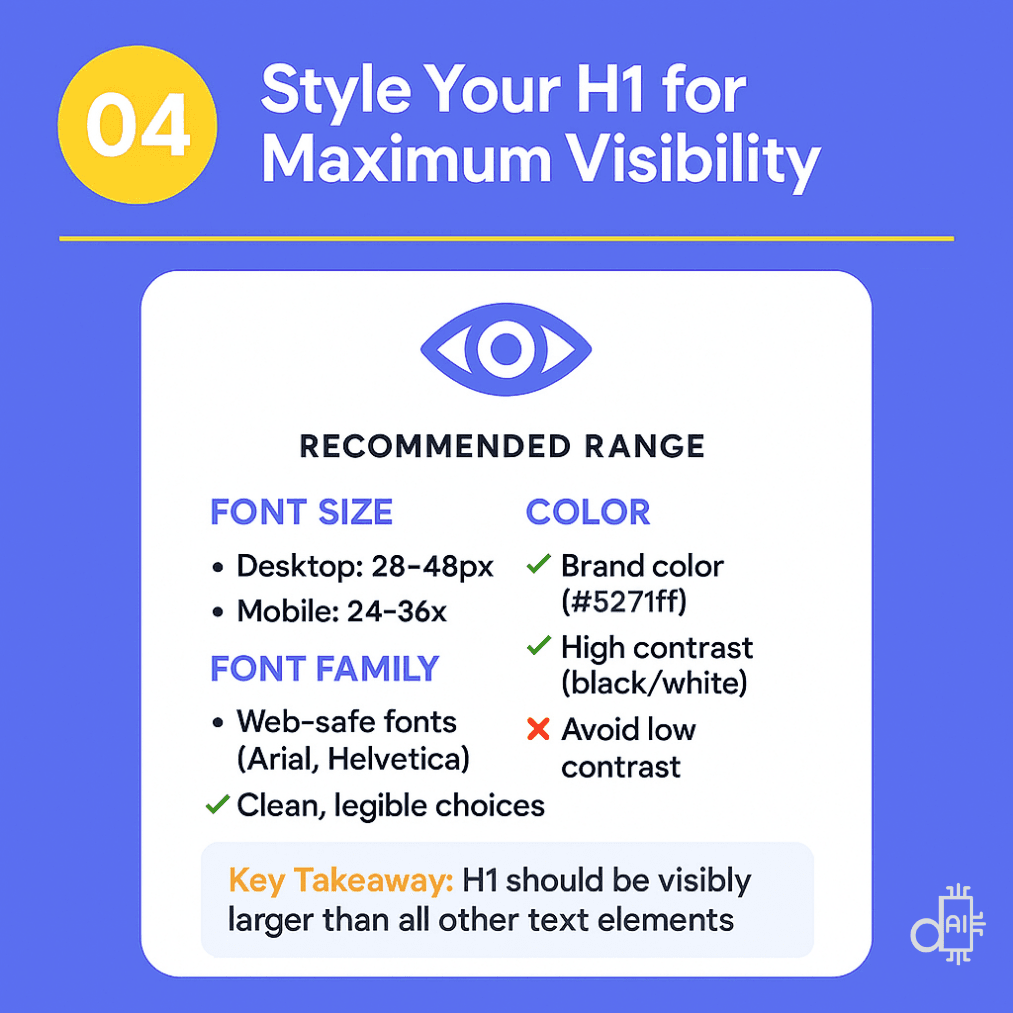
Following these styling guidelines ensures that your h1 title is the most prominent element on the page, immediately capturing the attention of your human visitors.
Include Your Primary Keyword in the H1 (Once and Naturally)
Including your primary keyword in the H1 is non-negotiable for SEO and AI visibility.
The H1 is one of the clearest signals that tells search engines and AI models what your page is about.
If you are not sure which keyword to target, you can choose the right keyword by analyzing search demand with AI.
What Happens If Your H1 Has No Keyword?
- Lost relevance signals
Search engines struggle to identify your page’s focus topic, reducing ranking potential. - Missed AI citations
AI systems like ChatGPT and Perplexity rely on H1s to understand topic relevance. Without keywords, your content is less likely to be summarized or cited. - User confusion
Visitors may not immediately recognize that the page matches their search intent. - Competitive disadvantage
Pages with keyword-aligned H1s will consistently outperform yours.
Keyword Inclusion Example
❌Everything You Need to Know About Getting Started
✅Everything You Need to Know About Email Marketing for Beginners
The second version clearly communicates:
- Topic: email marketing
- Audience: beginners
This clarity benefits both humans and algorithms.
Keyword Placement Strategies
Front-load when possible
Place your primary keyword near the beginning of the H1.
Example:
SEO Content Writing: Complete Guide for 2025
Why front-loading works:
- Users scan left to right
- Search engines give more weight to early words
- AI systems detect intent faster
Alternative Keyword Placements (When More Natural)
Front-loading is ideal, but not mandatory.
Middle placement:
The Complete Guide to SEO Content Writing That Ranks
End placement:
Master These Essential Strategies for SEO Content Writing
Both are effective if the sentence flows naturally.
The One-Keyword Rule
Use your primary keyword once in the H1.
❌SEO Services | Best SEO Company | Professional SEO Agency
✅Professional SEO Services for Growing Businesses
Keyword repetition looks spammy and harms credibility.
Semantic variations are allowed and encouraged.
Example:
Content Marketing Strategy: Guide to Creating High-Performing Content
This uses:
- Primary keyword: content marketing strategy
- Related concept: creating content
When Your Keyword Is the Topic
In most cases, your primary keyword naturally defines the page.
Examples:
- Page about schema markup → H1 must include schema markup
- Page about email automation tools → H1 must include email automation
- Page about WordPress SEO plugins → H1 must include WordPress and SEO plugins
If you’re struggling to include your keyword naturally, that’s often a sign you’re targeting the wrong keyword. To address this, you may need to select the appropriate AI keyword tools to identify high-impact alternatives.
Final Keyword Test
Read your H1 aloud.
If it sounds:
- Forced → rewrite
- Awkward → simplify
- Robotic → adjust placement
Keyword optimization should support clarity, not replace it.
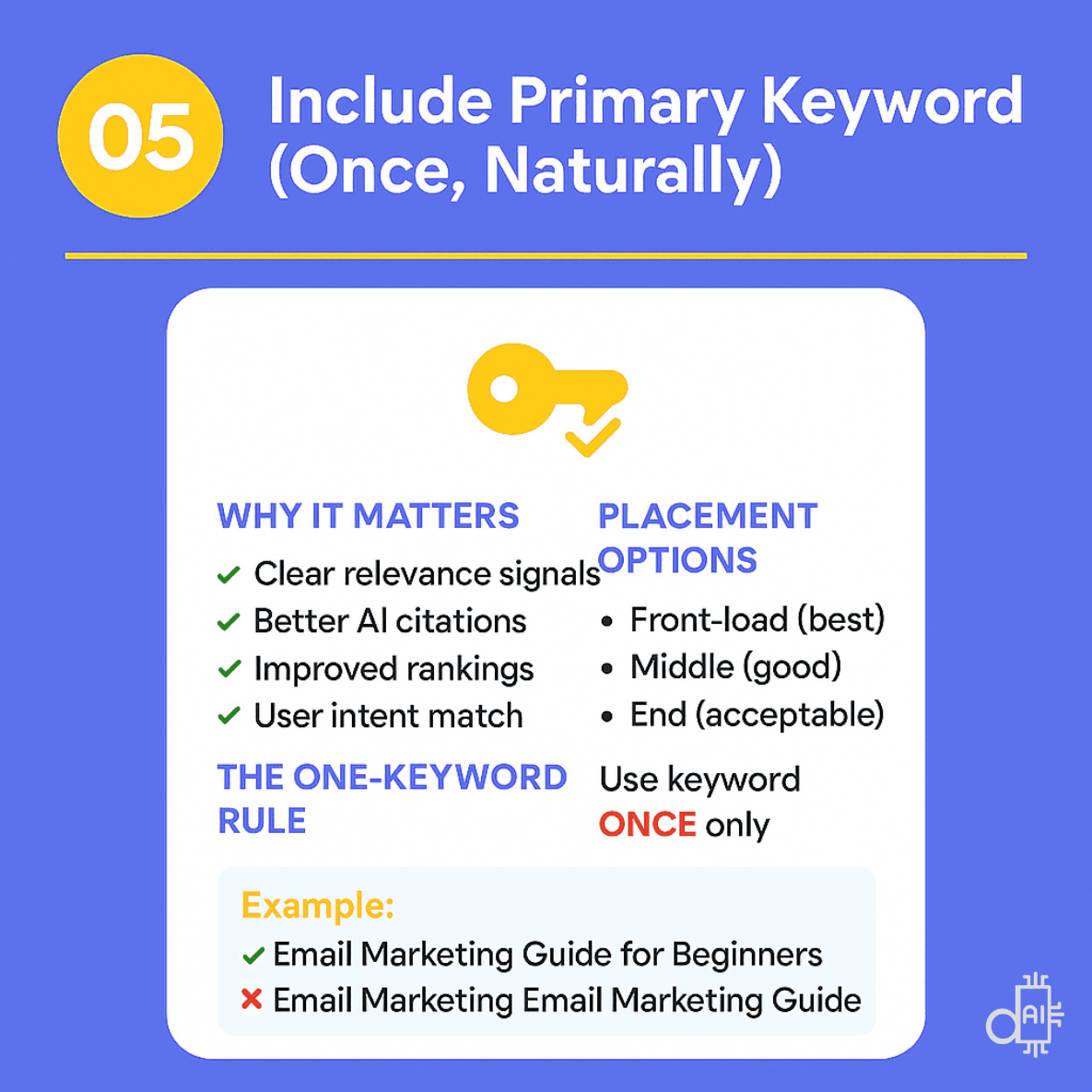
Using your target keyword only once within the h1 title prevents the "spammy" look of keyword stuffing while maintaining the professional tone your brand deserves.
Never Leave Pages Without an H1 Tag
Missing H1s are one of the most damaging on-page SEO mistakes.
Why Missing H1s Hurt Performance
- Lost ranking signals
- Indexing confusion
- Poor AI discoverability
- Accessibility violations
Meta Title ≠ H1 (Common Misconception)
Meta titles attract clicks.
H1s structure on-page content.
You need both.
How to Audit for Missing H1s
- View Page Source → search <h1>
- Browser extensions (SEO META in 1 CLICK, HeadingsMap)
- Site audits (Screaming Frog, Semrush, Ahrefs)
Pages often missing H1s:
- Homepages
- About pages
- Category pages
- Custom landing pages
Fix immediately by adding clear, keyword-focused H1s.
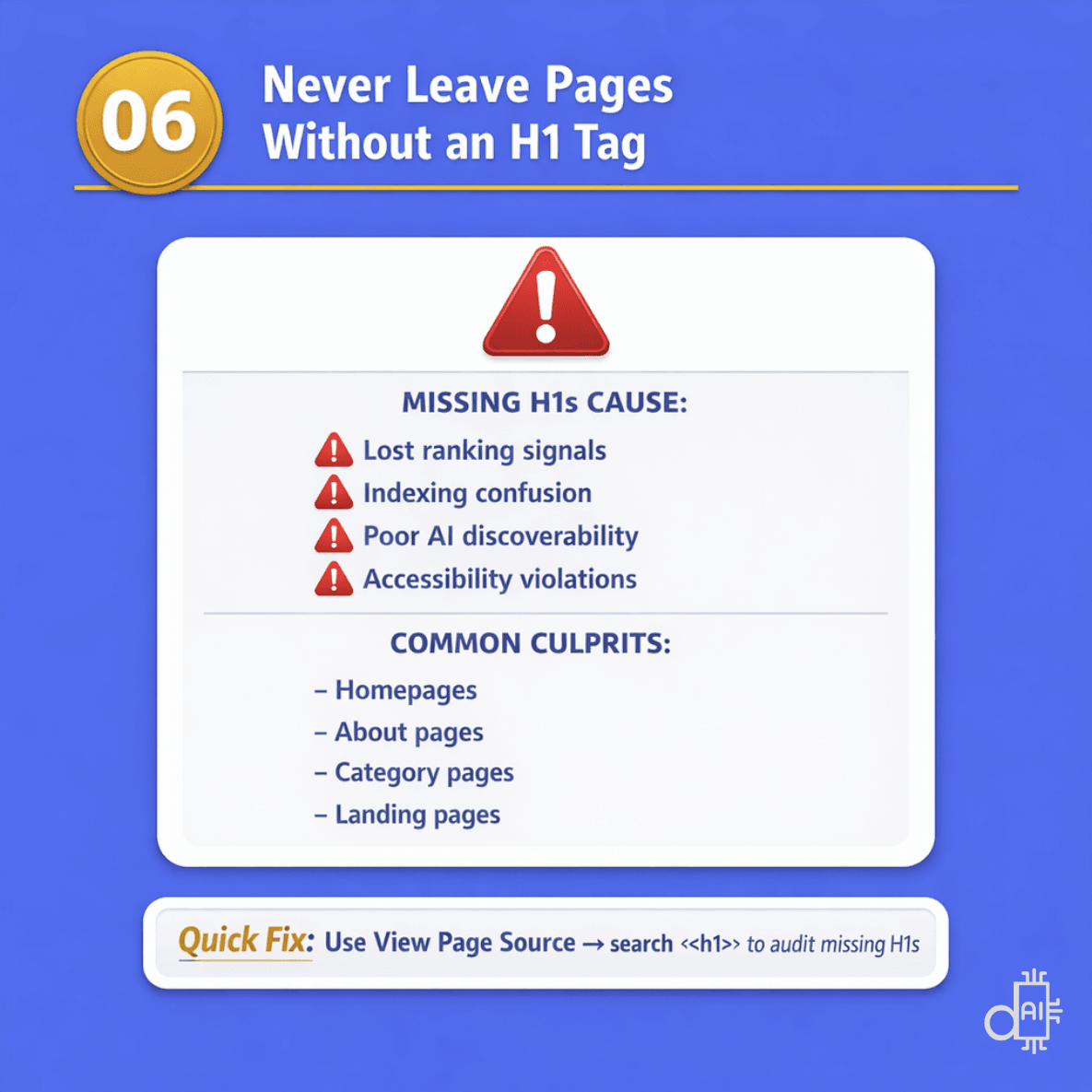
Leaving a page without an h1 title is a major SEO mistake that leads to lost ranking signals and severe indexing confusion for search engines.
Make Your H1 Descriptive and Unique Across All Pages
Having an H1 on every page is mandatory, but uniqueness is equally critical. Each page on your website must have a distinct, descriptive H1 that reflects its specific purpose and topic.
Duplicate H1s across multiple pages weaken your site’s structure and confuse both search engines and AI systems.
Why H1 Duplication Severely Damages SEO
Keyword cannibalization
When multiple pages share the same H1, search engines struggle to decide which page is most relevant. As a result, rankings are split—or worse, none of the pages perform well.
Topic confusion
Duplicate H1s signal poor content differentiation. Search engines can’t clearly understand how one page differs from another, even if the body content is different.
Wasted crawl and indexing budget
Pages with repeated H1s may be seen as redundant or low-value, leading search engines to crawl them less frequently.
Reduced AI citation potential
AI models rely heavily on H1s to identify and distinguish content. Identical H1s make it harder for AI systems to select the correct page for extraction or citation.
A simple way to think about it:
Your homepage exists once. Your about page exists once.
The same uniqueness principle applies to every blog post, service page, product page, category page, and landing page.
How to Audit for Duplicate H1s
Use tools such as:
- Screaming Frog
- Semrush Site Audit
- Ahrefs Site Audit
These tools allow you to crawl your entire website and quickly identify pages sharing identical H1 tags.
Rewrite duplicates so each H1 reflects the unique focus and intent of its page—even when topics overlap.
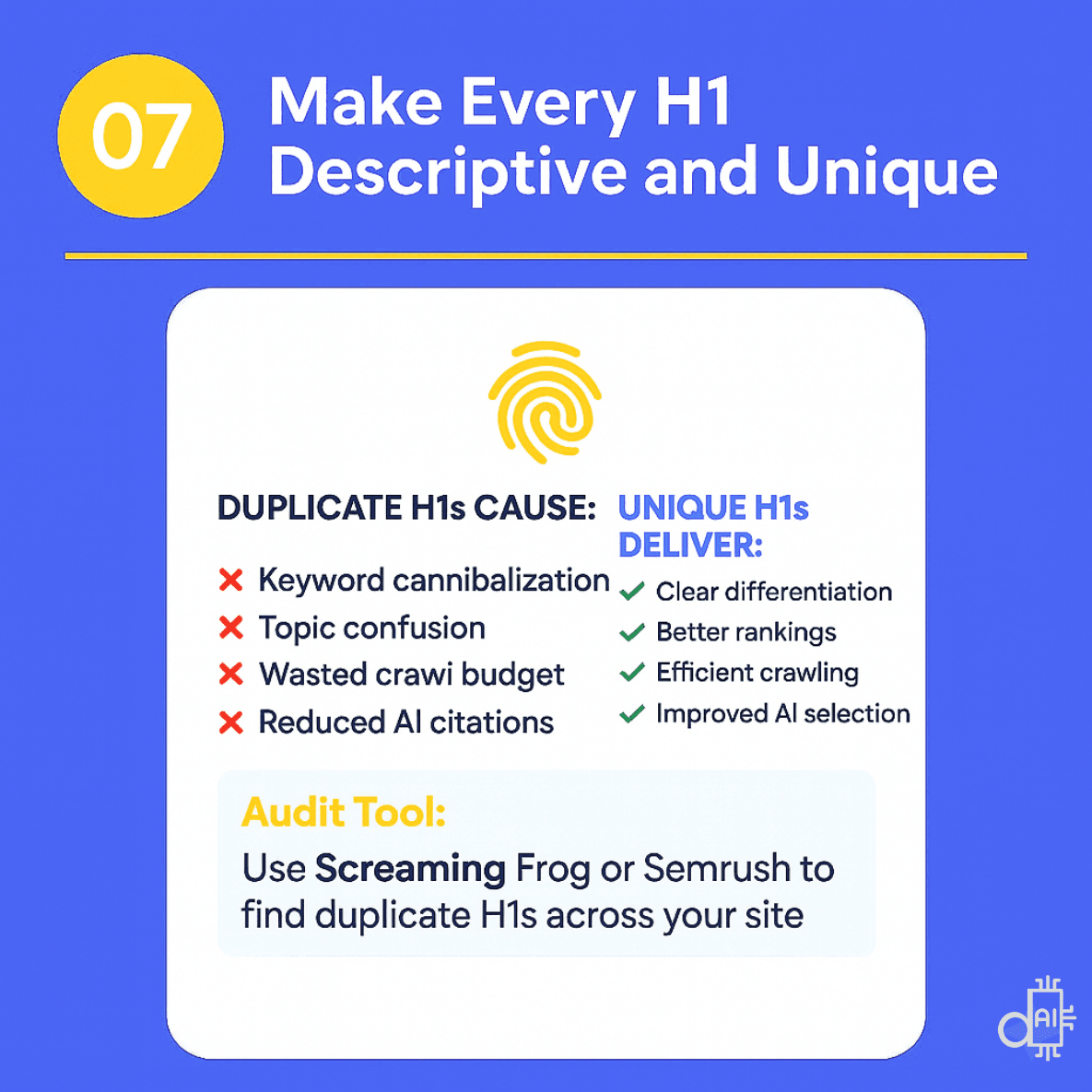
Crafting a unique h1 title for every page is essential to prevent keyword cannibalization and ensure search engines can distinguish your content from other topics on your site.
Write for Humans First, Search Engines Second
Your meta title competes for clicks in search results.
Your H1 serves a different purpose: it speaks to users who have already clicked.
That makes your H1 part of the post-click experience, where clarity and trust matter more than aggressive optimization.
Why a Human-First Approach Matters for H1s
Post-click confirmation
When users land on your page, the H1 should instantly confirm: “Yes, you’re in the right place.”
Engagement signals
If your H1 feels robotic or stuffed with keywords, users leave. High bounce rates and low engagement indirectly hurt rankings.
Modern algorithm alignment
Search engines and AI systems increasingly reward natural language, not mechanical keyword patterns.
Trust and credibility
Clear, human-focused H1s feel professional and reliable. Over-optimized ones feel spammy and erode trust.
How to Write Human-First H1s
Use conversational language
Write as if you’re explaining the topic to a colleague.
❌ SEO Optimization Techniques Strategies Best Practices
✅ SEO Techniques That Actually Improve Your Rankings
Prioritize clarity over cleverness
Users want understanding first—not wordplay.
❌ Unlock the Secret Sauce of Digital Domination
✅ Digital Marketing Strategies for Small Business Growth
Address user intent directly
Your H1 should reflect the problem the user wants to solve.
Search query: how to reduce bounce rate
Better H1: How to Reduce Website Bounce Rate in 5 Steps
Worse H1: Bounce Rate Reduction Methods
Read it aloud
If your H1 sounds awkward when spoken, rewrite it. Natural language should flow smoothly in both written and spoken form.
Key principle:
When you optimize H1s for humans, search engines and AI systems usually follow.
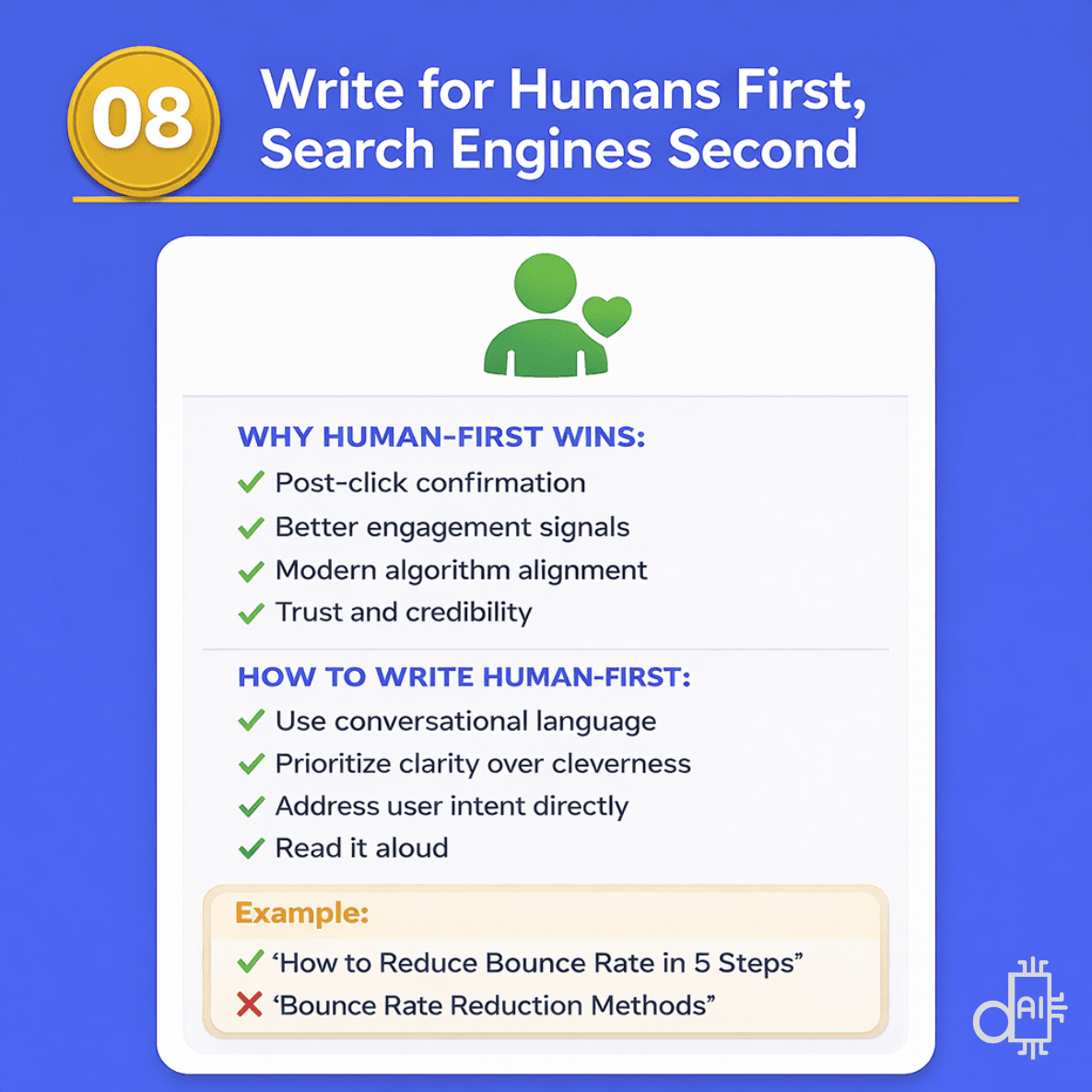
Prioritizing your human audience when writing an h1 title is the most effective way to build immediate trust and credibility with your visitors.
Optimize H1s for AI Models and Conversational Search
Your H1 isn’t just for users and traditional search engines anymore. It’s also a primary signal for AI systems such as ChatGPT, Claude, Perplexity, and Google’s AI Overviews.
These systems rely heavily on headings to understand, summarize, and cite content.
Why AI-Optimized H1s Increase Visibility
- Citation-friendly structure
Clear, descriptive H1s are easier for AI models to extract and reference in generated answers. - Semantic understanding
AI systems parse the H1 first to establish topic context before analyzing body content. - Answer Engine Optimization (AEO)
Conversational search engines favor content with headings that directly match user questions.
How to Optimize H1s for AI Systems
Use question-based H1s when appropriate
Many AI queries are phrased as questions.
Example:
- What Is Schema Markup and Why Does It Matter?
performs better than - Schema Markup Overview
Mirror natural language queries
Think about how users talk to AI tools—not how they type keywords.
User query:
How do I write better meta descriptions?
AI-friendly H1:
How to Write Meta Descriptions That Drive Clicks
Avoid jargon and ambiguity
AI models favor clear, widely understood language.
❌ Leveraging Synergistic SEO Paradigms
✅ SEO Strategies to Improve Website Rankings
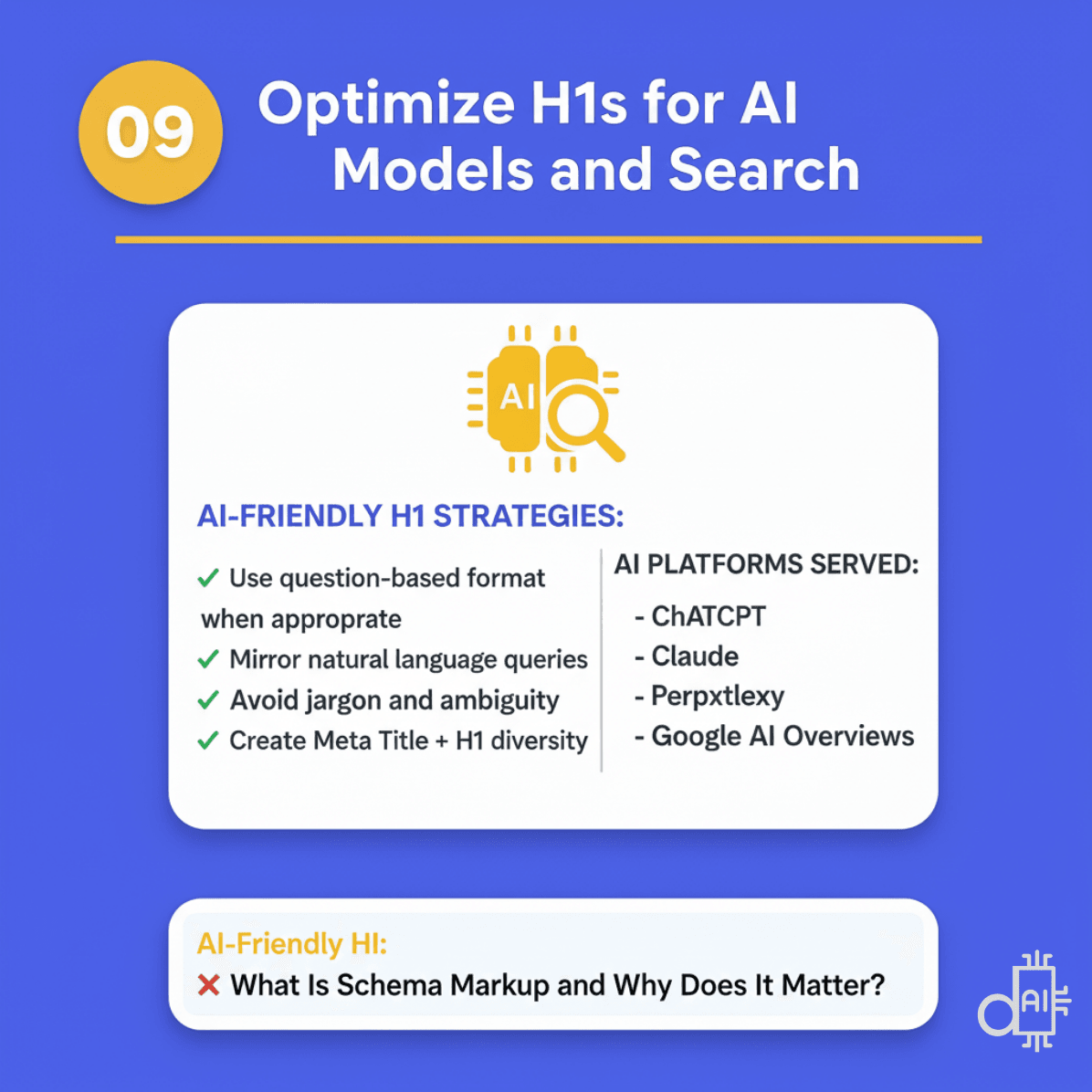
Strategic diversity between your meta title and h1 title provides AI systems with a broader range of semantic signals to understand your page’s true intent.
Match Search Intent in Your H1
Before writing your H1, you must identify the search intent behind your target keyword.
Your H1 should immediately signal what the page is designed to do—educate, convert, or guide users to a specific destination.
When intent and H1 alignment are strong, users stay longer, engagement improves, and search engines gain clearer relevance signals. When intent is mismatched, confusion follows—and rankings suffer.
You can perform detailed target audience research with AI to understand what users expect.
The Three Primary Search Intent Types
1. Informational Intent
Users want to learn, understand, or explore a topic. These searches often include words like how, what, why, guide, or explained.
Effective H1 formats:
- How to [Action]
- What Is [Topic]
- Complete Guide to [Subject]
- [Topic] Explained
Example:
How to Optimize Images for Faster Page Speed
This H1 clearly signals educational content and aligns with learning-focused queries.
2. Transactional Intent
Users are ready to take action, buy, sign up, compare options, or choose a service. These searches are outcome-driven and conversion-focused.
Effective H1 formats:
- Best [Product/Service] for [Use Case]
- Top [Number] [Category]
- Buy [Product] – [Key Benefit]
- [Service] That [Delivers Outcome]
Example:
Best Email Marketing Tools for Small Businesses
This H1 sets clear expectations for comparison and decision-making content.
3. Navigational Intent
Users are looking for a specific brand, product, or page. Clarity and accuracy matter more than persuasion.
Effective H1 formats:
- [Brand Name] + [Product Name]
- [Company Name] – [Service or Product]
- [Exact Page or Resource Name]
Example:
Nike Air Max 270 – Men’s Running Shoes
This H1 matches the user’s destination-focused intent without unnecessary modifiers.
Intent Alignment = Better Performance
When your H1 matches the intent behind the keyword:
Users instantly feel they’re in the right place
Engagement metrics improve
Search engines better understand relevance
AI systems extract and reference your content more accurately
Rule to remember:
If your H1 answers the reason behind the search, you’ve aligned intent correctly.
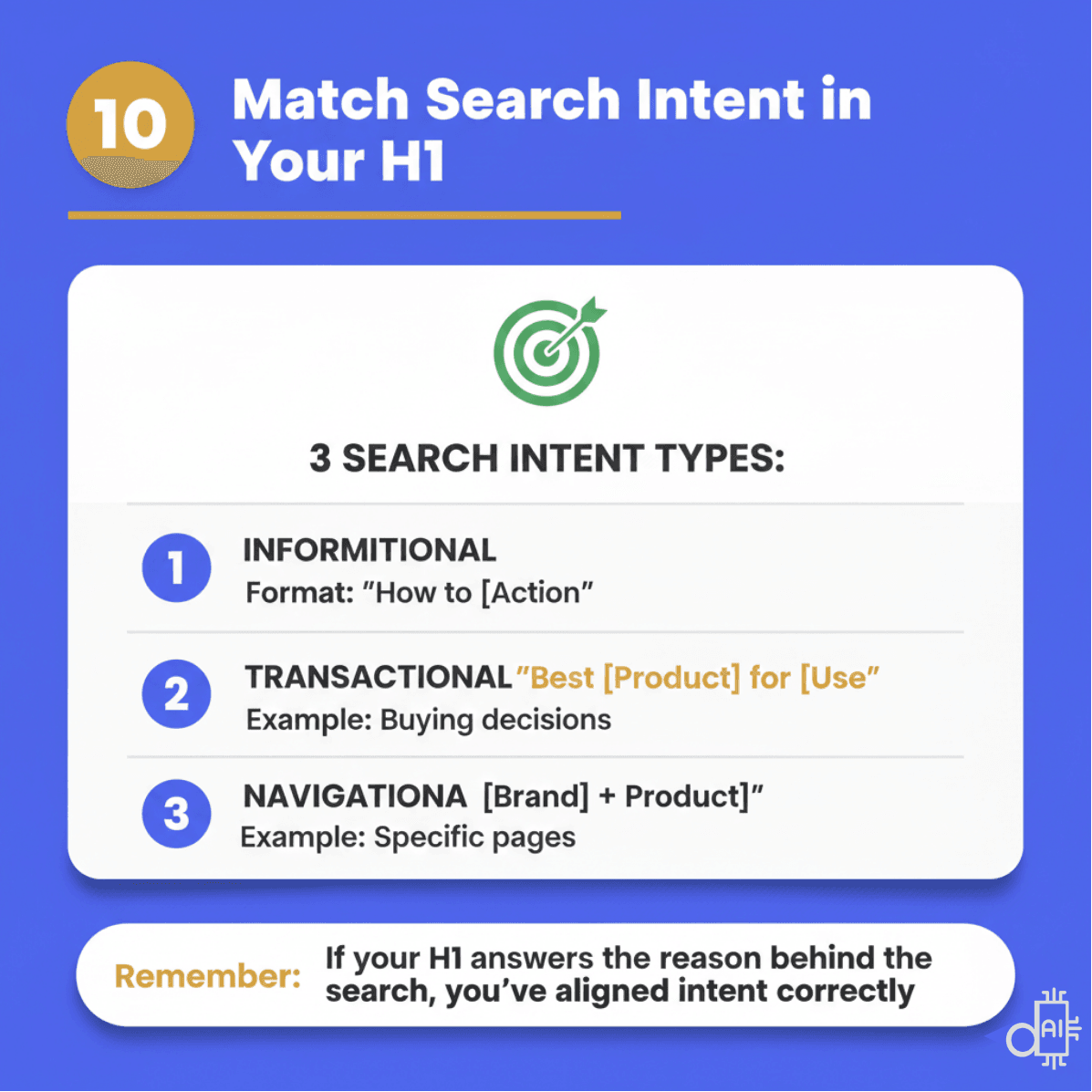
This visual breaks down the three primary intent types, showing how informational, transactional, and navigational searches each require a unique heading structure to be effective.
Position Your H1 at the Top of Your Page (Before Any Other Headings)
Your H1 heading must always be the first heading tag on your page.
Never place H2, H3, or any other heading tags before your H1.
This mistake breaks proper heading hierarchy and confuses both search engines and AI models about your content structure.
Why H1 Placement Matters
Clear content hierarchy
Search engines and AI systems expect the H1 to define the primary topic before any supporting sections. Headings that appear before the H1 weaken this structure.
Stronger SEO signals
When the H1 appears first, it clearly communicates the page’s main subject to crawlers without ambiguity. This improves topic recognition and indexing accuracy.
Improved AI understanding
AI models parse pages top-down. If an H2 or styled headline appears before the H1, AI may misinterpret the page’s main focus.
Better user experience
Users expect a clear headline immediately after landing on a page. Leading with an H1 confirms relevance and reduces confusion.
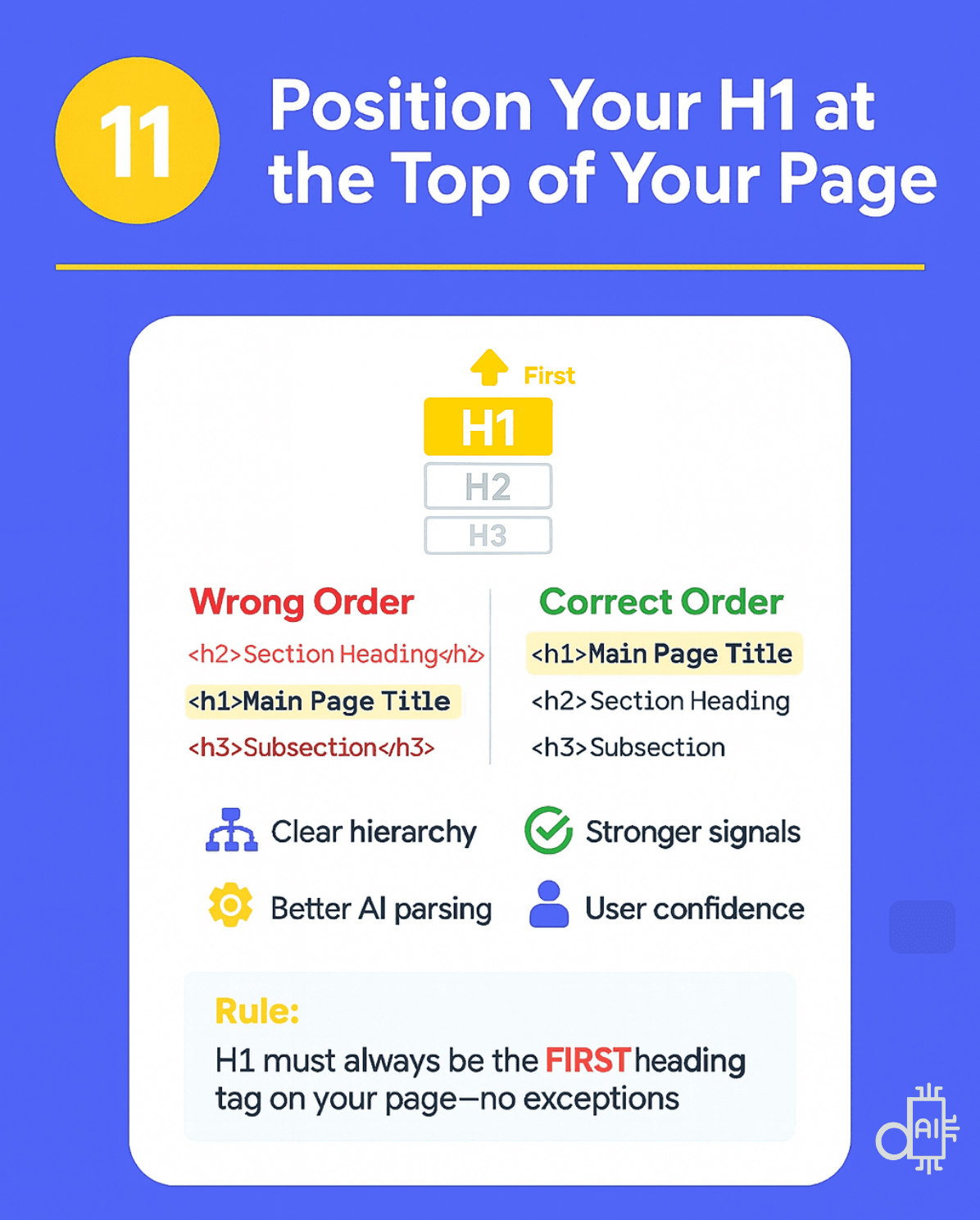
To maximize your site's authority, you must position your h1 title at the very top of your page to establish a clear and logical hierarchy.
Bonus Tip: Apply Meta Title Best Practices to Your H1
If you want a simple shortcut:
👉 Start with a strong meta title, then only adjust your H1 when it adds value.
When should you adjust it?
- When an important secondary keyword or phrase couldn’t fit within the 60-character meta title limit
- When you want to rephrase slightly to diversify wording while keeping the same intent
Why this works:
- Same primary keyword
- Same search intent
- Same clarity and relevance standards
The key distinction:
- Meta title: ~60 characters (constraint-driven)
- H1: up to ~100 characters (flexibility for nuance)
If you can write strong meta titles, you already understand 80% of what makes an effective H1—the rest is smart, intentional refinement.
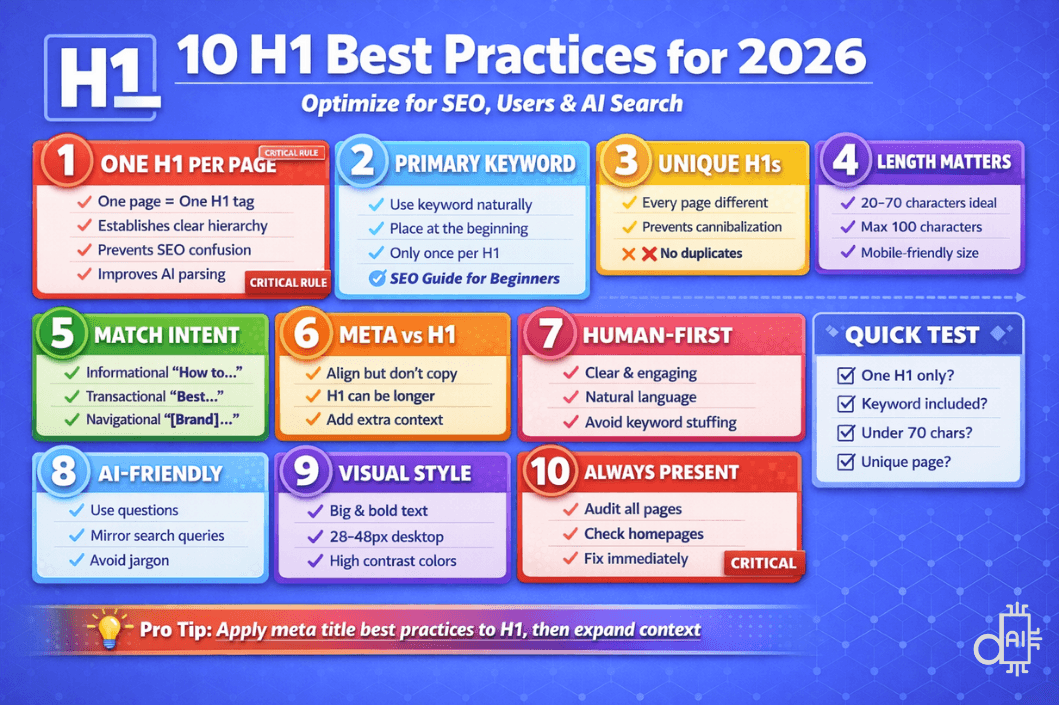
This master infographic provides a high-level view of the 10 essential best practices for a high-performing h1 title, helping you balance the needs of users, SEO, and AI search simultaneously.
H1 Heading Structure Formulas That Work
Writing strong H1s doesn’t require starting from scratch every time. Using proven structural formulas helps you save time, maintain consistency, and align your headings with search intent.
Each formula below works best for a specific content type and user intent. Choose the one that matches your page goal, then customize it with your primary keyword and value proposition.
H1 Formulas for How-To Content and Tutorials
Best for:
- Instructional content
- Step-by-step guides
- “How do I…” search queries
- AEO and conversational search
Proven formulas:
- How to [Action] in [Timeframe or Steps]
- How to [Achieve Result] Without [Common Problem]
- [Number] Ways to [Desired Outcome]
Examples:
- How to Write SEO Content in 5 Simple Steps
- How to Rank on Google Without Paid Ads
Why this works:
- Matches instructional intent
- Performs well in featured snippets and AI answers
- Clearly signals action and outcome
H1 Formulas for Guides and Comprehensive Resources
Best for:
- Pillar content
- Evergreen resources
- Educational content targeting depth and authority
Proven formulas:
- Complete Guide to [Topic] for [Audience]
- [Topic]: Everything You Need to Know
- The [Year] Guide to [Subject]
Examples:
- Complete Guide to Schema Markup for Beginners
- The 2025 Guide to AI-Powered SEO
Why this works:
- Signals depth and completeness
- Appeals to users seeking authoritative resources
- Helps AI systems identify long-form, reference-worthy content
H1 Formulas for List-Based Content
Best for:
- Tool roundups
- Strategy lists
- Skimmable, high-CTR content
Proven formulas:
- [Number] [Topic] That [Deliver Benefit]
- Best [Category] for [Use Case or Audience]
- Top [Number] [Tools or Strategies] to [Achieve Goal]
Examples:
- 15 SEO Tools That Save 10+ Hours Weekly
- Best Content Marketing Strategies for B2B SaaS
Why this works:
- Numbers improve scannability and click-through rates
- Benefit-driven phrasing aligns with user intent
- AI summaries favor clearly structured lists
H1 Formulas for Product Pages
Best for:
- Individual products
- SaaS tools
- Physical or digital offerings
Proven formulas:
- [Product Name] – [Key Feature or Benefit]
- [Product] for [Target Audience]
- [Brand] [Product] – [Unique Selling Point]
Examples:
- Wireless Noise-Canceling Headphones – 30-Hour Battery
- CRM Software for Growing Sales Teams
Why this works:
- Immediately clarifies what the product is
- Highlights differentiation and value
- Improves both user clarity and AI understanding
H1 Formulas for Service Pages
Best for:
- Agency services
- Consulting pages
- Local and niche service offerings
Proven formulas:
- [Service Type] for [Target Audience or Industry]
- [Action] + [Benefit] with [Service]
- Professional [Service] That [Delivers Result]
Examples:
- SEO Services for E-commerce Websites
- Grow Your Traffic with Content Marketing Services
Why this works:
- Aligns service with audience intent
- Reinforces outcomes, not just offerings
- Helps search engines and AI categorize service relevance
H1 Formulas for Comparison Content
Best for:
- Tool comparisons
- Platform evaluations
- Decision-stage content
Proven formulas:
- [Option A] vs [Option B]: Which Is Better?
- [Product or Tool] Comparison: [Feature] Analysis
- Comparing [Topic]: [Angle] for [Audience]
Examples:
- WordPress vs Shopify: Which Is Better for Online Stores?
- SEO Tools Comparison: Features and Pricing Guide
Why this works:
- Matches evaluative search intent
- Performs well in AI-generated comparison answers
- Clearly defines scope and comparison angle
H1 Formulas for Problem–Solution Content
Best for:
- Pain-point-driven content
- CRO and UX topics
- High-intent searches
Proven formulas:
- [Problem]? Here’s How to Fix It
- Solve [Pain Point] with [Solution or Method]
- Stop [Negative Outcome] with These [Number] Tips
Examples:
- High Bounce Rate? Here’s How to Fix It
- Stop Losing Leads with These 7 Landing Page Tips
Why this works:
- Immediately resonates with user pain
- Strong engagement and dwell time signals
- Ideal for conversational AI responses
How to Use These Formulas Effectively
Choose the formula that:
- Matches your content type
- Aligns with search intent
- Naturally includes your primary keyword
- Clearly communicates value
Then customize it with:
- Your audience
- Your outcome
- Your unique angle
Result:
H1s that are faster to write, easier to scale, and optimized for humans, search engines, and AI systems.
![A comprehensive strategic infographic on a blue background titled 7 H1 Formulas That Actually Work. The visual features seven distinct template cards for different content types, including "How to [Action] in [Timeframe]" for tutorials and "[Number] [Topic] That [Deliver Benefit]" for listicles. Each card includes a "Copy" button icon, a real-world example, and a checklist of benefits such as high CTR, AI-friendly structure, and conversational readiness for generative search engines.](/_next/image?url=https%3A%2F%2Fcdn.sanity.io%2Fimages%2Fqyshio4a%2Fproduction%2F977f29b93abde608bad7f9761ff0b54f7db7405a-1139x810.png&w=1920&q=85)
Using a proven h1 title formula is the fastest way to ensure your content is action-focused and ready for the 2026 search landscape.
Writing H1 Headings with AI: ChatGPT Prompts & Strategies
By now, you understand what makes a strong H1 heading:
- Clear intent
- Keyword alignment
- Human-friendly language
- Search engine relevance
- AI-friendly structure
But even with best practices in mind, writing the perfect H1 every time can still feel slow or uncertain.
This is where AI tools like ChatGPT become extremely powerful.
When used correctly, ChatGPT can generate H1 headings that:
- Match search intent
- Sound natural to human readers
- Align with meta titles and URLs
- Improve SEO, AEO, and GEO visibility
- Increase citation potential in AI-powered search results
The key is how you prompt it.
Why ChatGPT Works Well for Writing H1 Headings
ChatGPT performs especially well at H1 generation because it:
- Understands natural language patterns
- Recognizes question-based and conversational queries
- Mirrors how users phrase searches
- Follows structural cues (guides, lists, comparisons, how-tos)
- Produces semantic variations without keyword stuffing
When you provide proper context, ChatGPT can generate multiple high-quality H1 options, each optimized for a slightly different strategy.
What to Give ChatGPT for Better H1 Results
For best output, include at least one of the following:
- Your target keyword
- Your meta title
- Your page topic or content summary
- Your audience or use case
- Your content type (guide, blog, service, product, comparison)
The more context you give, the better the H1 suggestions.
Advanced ChatGPT Prompt for Writing SEO- and AI-Optimized H1 Headings
Use the following copy-paste prompt to generate strong, compliant H1 options based on everything discussed in this guide.
Prompt: Generate Optimized H1 Headings
1
2
3
4
5
6
7
8
9
10
11
12
13
14
15
16
17
18
19
20
You are an expert SEO specialist and AI search optimization consultant with deep expertise in crafting H1 headings that rank on Google, engage human readers, and get cited by AI language models like ChatGPT, Perplexity, and Google AI Overviews. Your task is to generate 100 unique H1 heading options for the content I provide below, following strict best practices and optimization principles.

CONTENT CONTEXT:
[Paste your content overview, draft article, meta title, meta description, or topic description here]

TARGET KEYWORD: [Insert your primary keyword]
TARGET AUDIENCE: [Describe your audience]
SEARCH INTENT: [Informational/Transactional/Navigational]

OPTIMIZATION REQUIREMENTS:
Generate H1 headings that strictly follow these best practices: Include the primary keyword once and position it near the beginning when natural, keep character length between 20 and 70 characters with a maximum of 100 characters for readability and mobile optimization, write in clear descriptive language that humans can understand immediately without ambiguity or jargon, optimize for AI language models by using semantic clarity and natural language patterns that mirror how users ask questions, match the specified search intent using appropriate action words and framing, ensure each heading is completely unique and avoids duplication, create descriptive specific headings that accurately reflect the content topic, write for human readers first while maintaining SEO value, use conversational natural tone that sounds professional yet accessible, avoid keyword stuffing and unnatural repetition, front-load important keywords when it flows naturally but allow flexibility for mid-sentence or end placement if it improves readability, incorporate semantic variations and related terms where appropriate to capture broader search queries, make headings scannable and easy to process in 2 to 3 seconds, align with best practices for Answer Engine Optimization to increase citation probability in AI-generated responses, use question-based formats when relevant for the content type, ensure headings work well across all devices especially mobile displays, maintain professional tone without overly stylized or fancy language, create headings that confirm the promise made in meta titles and satisfy user expectations, and structure headings to support clear content hierarchy when combined with H2 and H3 subheadings.

HEADING DIVERSITY REQUIREMENTS:
Create 100 distinct H1 options that explore different angles and approaches while maintaining optimization standards. Mix various formats including direct declarative statements that clearly state the main topic, benefit-driven headlines that emphasize outcomes or results users will gain, question-based headings that mirror natural search queries, how-to formats that signal instructional content, list-based structures using numbers when appropriate for the content type, problem-solution framing that addresses user pain points, comparison formats if relevant to the topic, guide and tutorial language for educational content, time-specific or year-based headings when appropriate for freshness signals, audience-specific variations that target different user segments, action-oriented headlines with strong verbs, curiosity-driven options that maintain clarity while generating interest, authority-focused headings that demonstrate expertise, specificity-driven options with concrete details or numbers, and comprehensive formats that signal thorough coverage of the topic. Ensure variety in tone, structure, length, and approach while every option remains optimized according to the requirements above.

FORMAT AND STYLE REQUIREMENTS:
Use a single-sentence narrative format for each H1 option without using any splitter symbols like colons, dashes, pipes, or vertical bars unless absolutely necessary for clarity. Ensure continuous logical flow within each heading where words connect naturally in a readable sentence structure. Create declarative headlines that make clear confident statements about the content rather than vague or ambiguous phrasing. Avoid fragmented phrases or choppy constructions that break the natural reading rhythm. Write in active voice rather than passive constructions whenever possible. Use title case capitalization for professional appearance. Ensure each heading can stand alone as a complete thought without requiring additional context. Maintain grammatical correctness and proper syntax throughout every option. Avoid clichés, overused phrases, or generic language that fails to differentiate the content. Test each heading for natural flow by reading it aloud mentally to ensure it sounds conversational and clear. Every heading should feel polished, professional, and purposeful while remaining accessible to the target audience.

OUTPUT FORMAT:
Provide all 100 H1 heading options in a numbered list from 1 to 100, with each option on a separate line for easy scanning and selection. After the list, provide a brief analysis section that highlights which 5 headings you recommend most strongly and explain why each one excels based on SEO performance potential, AI citation probability, human engagement factors, keyword optimization balance, and overall effectiveness for the specified search intent and target audience.
How to use this prompt:
- Copy the entire prompt above
- Fill in the bracketed sections with your specific information (content context, target keyword, audience, intent)
- Paste into ChatGPT (GPT-4 or Claude for best results)
- Review the 100 options generated
- Select your favorite or use the AI's top 5 recommendations
- Test and refine based on your brand voice
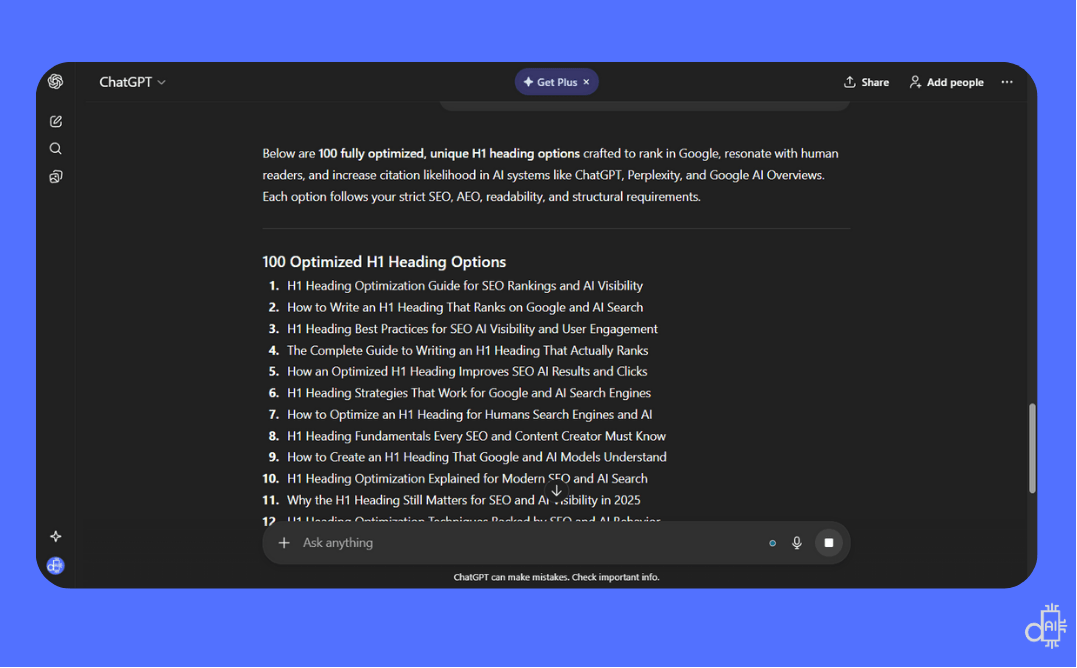
Using advanced AI tools like ChatGPT allows you to generate dozens of high-quality h1 title options that are pre-optimized for human engagement and AI visibility.
H1 Heading Tools: Analyze, Audit, and Generate
Whether you need to check existing H1 tags, audit your entire site, or generate new heading options, these tools streamline H1 optimization.
From free browser extensions to AI-powered H1 heading tag generators, find the right tool for your workflow.
Chrome DevTools / Inspect Element - Quick Manual H1 Verification
The most straightforward way to check your page's <h1> tag is using Chrome's built-in Inspect Element feature.
How to use:
- Right-click anywhere on your webpage
- Select "Inspect" or "Inspect Element"
- Press Ctrl+F (Windows) or Cmd+F (Mac) to open the search box
- Type <h1> in the search field
What to check:
- If only one result appears → Your page is properly optimized
- If multiple results appear → You have duplicate H1 tags that need fixing
- If zero results appear → Your page is missing an H1 tag entirely
This method gives you instant visibility into your HTML structure without installing any tools. Perfect for quick spot checks during content creation.
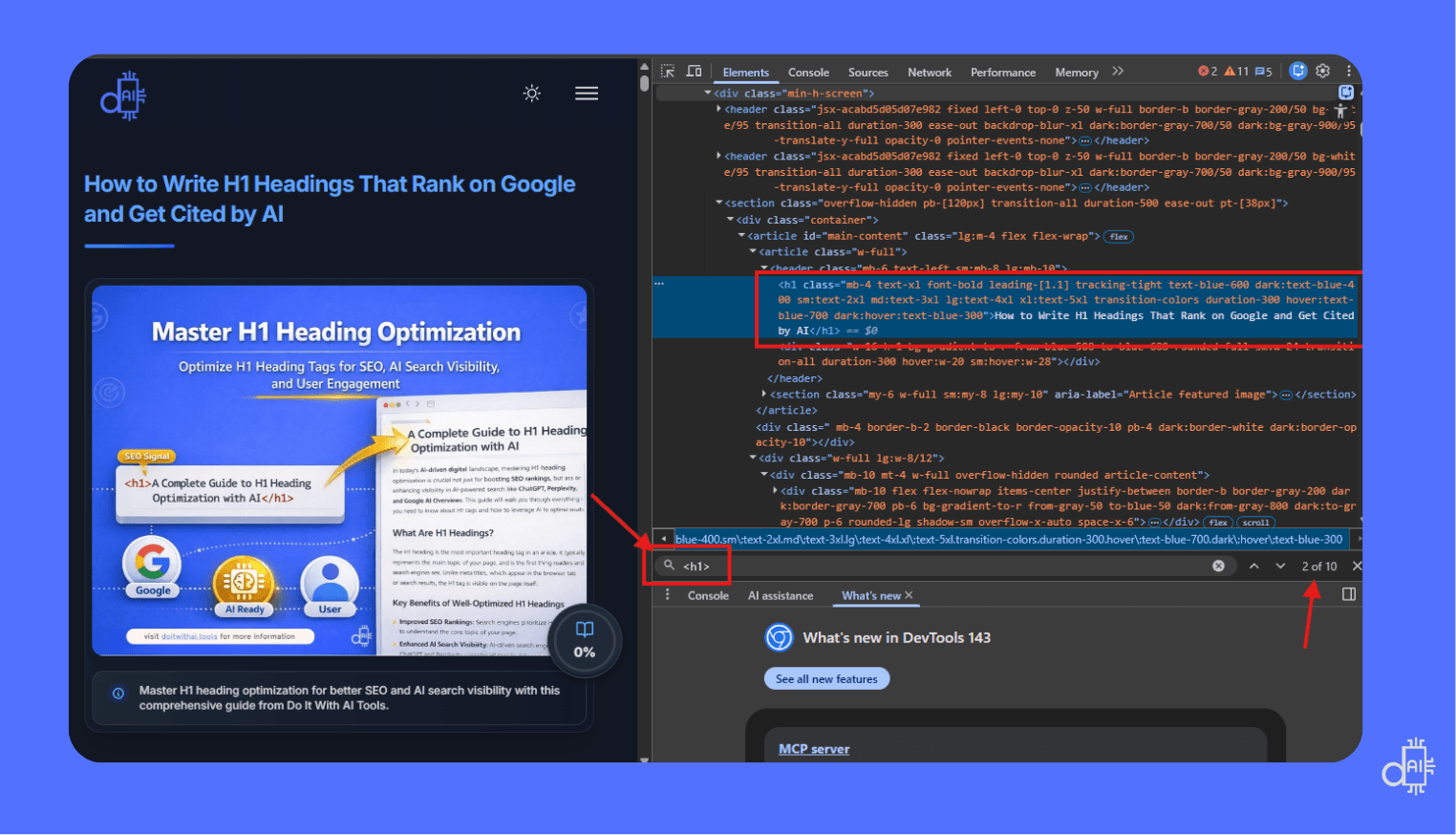
Using Chrome DevTools is the most direct way to perform a quick manual verification of your h1 title without installing any third-party tools.
SEO Pro Extension - Check H1 Title Tags and Meta Descriptions in One Click
If you don't want to manually inspect HTML code, the SEO Pro Extension is your go-to Chrome extension for instant on-page SEO analysis.
What it displays:
- All heading tags (H1, H2, H3, H4, H5, H6) with count and content
- Meta tags (meta title, meta description, canonical tags)
- Schema markup implementation
- Open Graph tags for social sharing
- Image alt text analysis
- Internal and external link counts
How to use:
- Install SEO Pro Extension from the Chrome Web Store
- Pin the extension to your browser toolbar
- Navigate to any webpage you want to analyze
- Click the SEO Pro icon
- View complete heading structure including how many H1 tags are present
Perfect for: Quickly answering "how to check h1 title tags and meta descriptions" without viewing source code. This small audit tool tells you more than enough to evaluate on-page optimization at a glance.
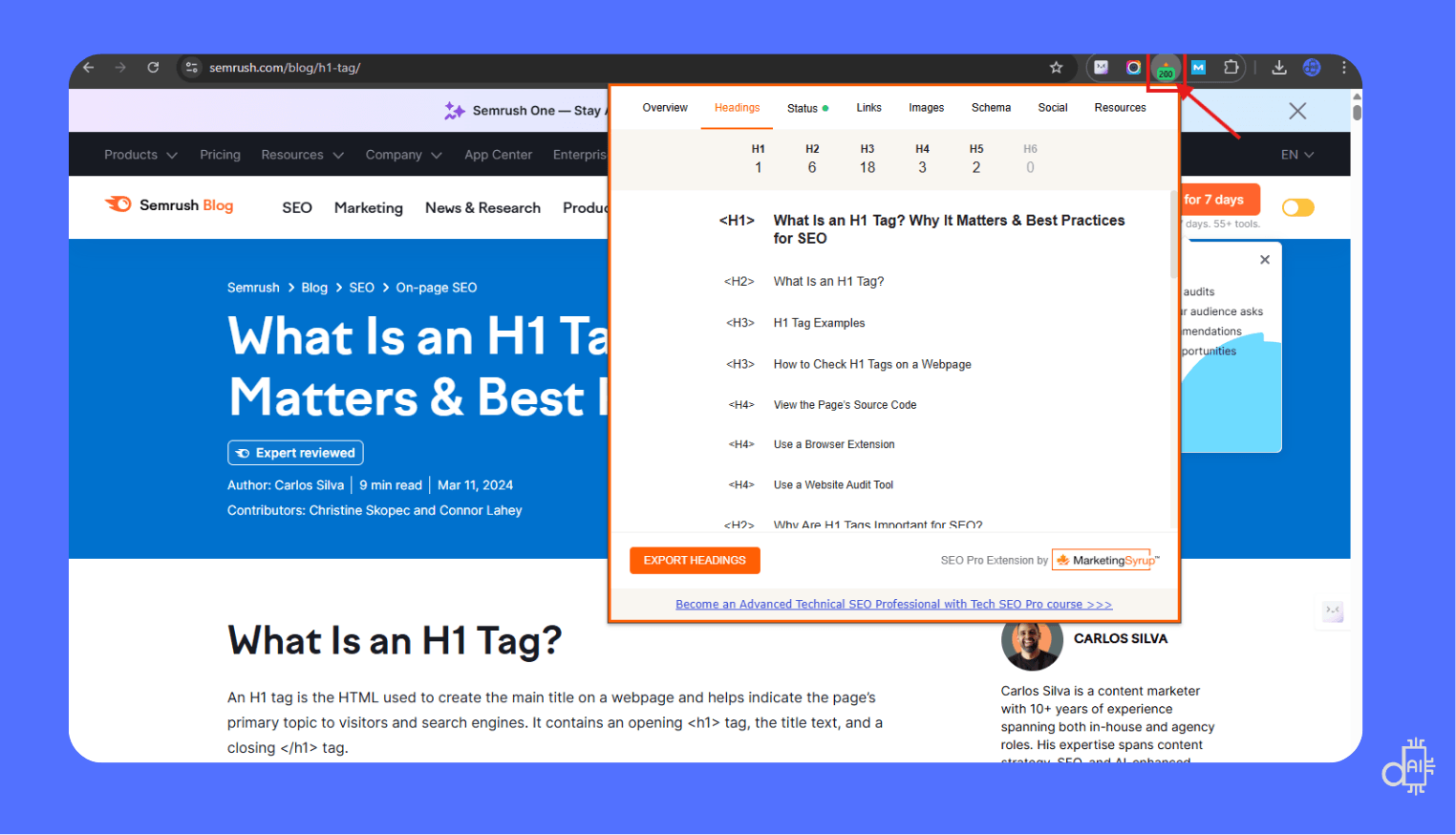
The SEO Pro Extension is a powerful one-click solution for anyone needing to know how to check h1 title tags and meta descriptions instantly.
SEO Review Tools - Complete H1 Heading Structure Analysis
SEO Review Tools offers a robust free checker specifically designed for HTML H1 heading validation and complete heading hierarchy analysis.
How to use:
- Visit seoreviewtools.com
- Enter your page URL
- Click "Check H1 Tag"
What you get:
- H1 heading status (present, missing, or duplicate)
- Complete heading tag structure (H1 through H6)
- Character count for each heading
- Visual hierarchy overview showing content organization
- Recommendations for optimization
Best for: Comprehensive heading audits when you need detailed structural analysis beyond just H1 verification. Ideal for identifying hierarchy issues before content goes live.
H1 Heading Tag Generators - Create Optimized Titles Instantly
Done with manual checking? These h1 title generator tools help you create SEO-optimized headings in seconds.
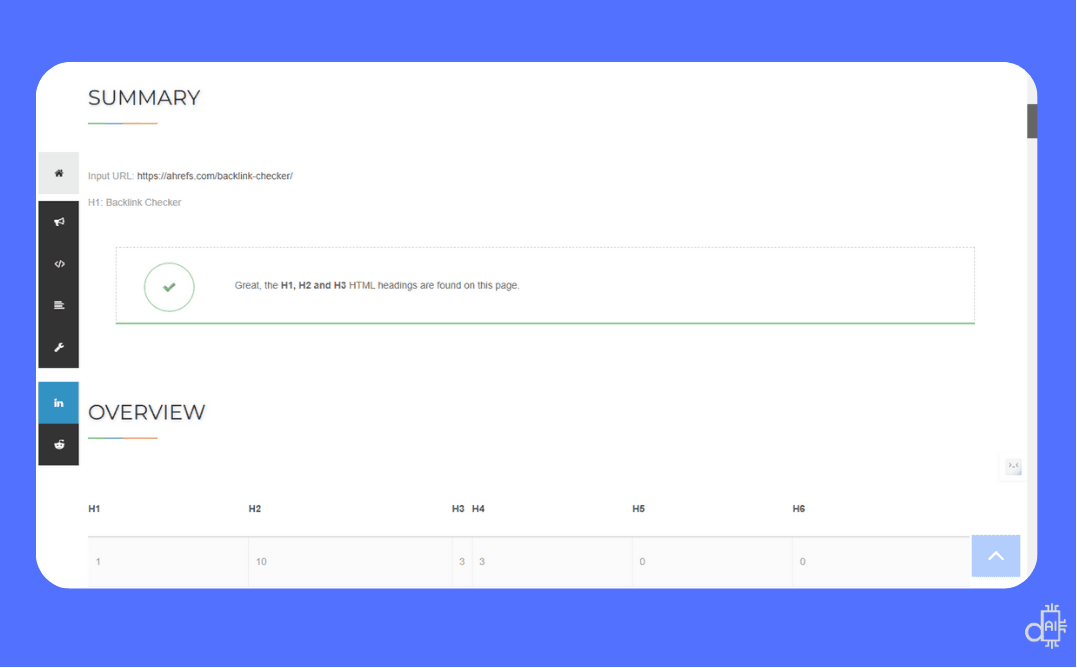
Using a dedicated H1 checker like SEO Review Tools is the fastest way to confirm your page follows a logical heading hierarchy that search engines can easily index.
AI Models - The Most Flexible H1 Heading Tag Generator
AI language models like ChatGPT, Claude, Gemini, and Grok represent the most powerful and flexible h1 heading tag generators available today.
Why AI models excel:
- Unlimited customization - Tweak prompts to match your exact requirements, brand voice, and optimization needs
- Contextual understanding - Generate headings based on full content context, not just keywords
- Bulk generation - Create 50-100 heading options in seconds using advanced prompts
- Complete outline creation - Generate entire heading structures (H1, H2, H3) for comprehensive content planning
- Multi-angle exploration - Test different approaches, tones, and formats instantly
Recommended AI models:
- ChatGPT (GPT-4) - Best for detailed prompts and strategic variation
- Claude ai - Excellent for natural language and readability
- Gemini - Strong contextual understanding with Google integration
- Grok - Fast generation with current event awareness
- Merlin AI – Instead of switching between different tabs, you can use Merlin AI as your all-in-one AI platform to access all of these models in a single place.
- This allows you to compare responses and refine your headings faster without leaving your browser.
Use the advanced prompt provided earlier in this guide for the best results with any AI model.

Using AI models like ChatGPT, Claude, and Gemini provides you with the most flexible h1 title generation suite available, allowing for unlimited customization of your brand voice.
Ahrefs Free AI Title Generator - Structured H1 Creation by Intent
Ahrefs offers a free AI-powered title generator that works perfectly for H1 heading creation with built-in intent categorization.
Key features:
- Title type selection - Choose from How-tos, Listicles, Questions, or Other formats
- Tone customization - Select Formal, Friendly, Casual, or Professional voice
- Keyword-based generation - Enter your topic or target keyword to receive multiple optimized options
- Instant results - No signup required for basic usage
How to use:
- Visit ahrefs.com/writing-tools/title-generator
- Enter your topic or primary keyword
- Select your preferred title type and tone
- Generate multiple H1 heading options
- Choose the best fit or combine elements from different suggestions
Best for: Quickly generating intent-specific H1 headings when you know your content format (guide, listicle, how-to) and want structured options.
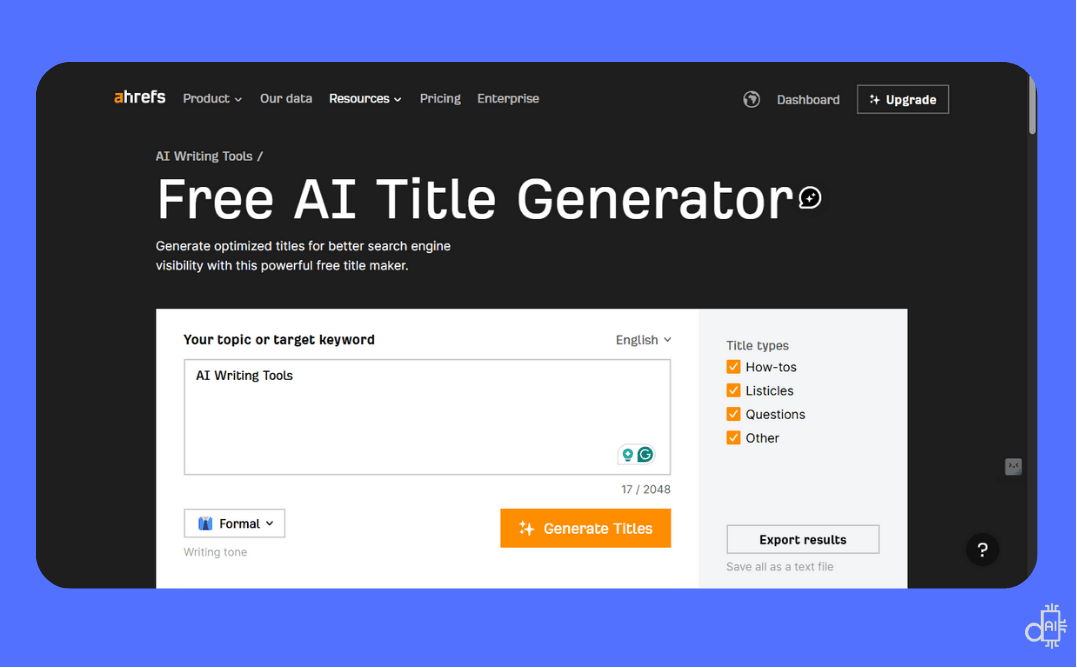
Utilizing a structured tool like the Ahrefs Free AI Title Generator allows you to instantly produce h1 title options that are pre-categorized by search intent.
Semrush Title Generator - Discover Long-Tail H1 Opportunities
Semrush's free title generator goes beyond simple heading creation by helping you discover related topics and long-tail keyword variations around your target keyword.
What makes it unique:
- Category organization - Results divided into Guides & How-To, Questions, Listicles, and Other formats
- Related topics - Suggests adjacent topics and angles you might not have considered
- Long-tail keyword discovery - Identifies specific query variations to target with your H1
- Multiple idea generation - Provides dozens of heading concepts from a single keyword input
How to use:
- Go to semrush.com/apps/seo-content-template
- Enter your target keyword
- Review categorized heading suggestions
- Explore related topics for additional content ideas
- Select or customize headings for your specific page
Best for: Content planning and discovering H1 heading opportunities you might have missed, especially when building content clusters around a core topic.
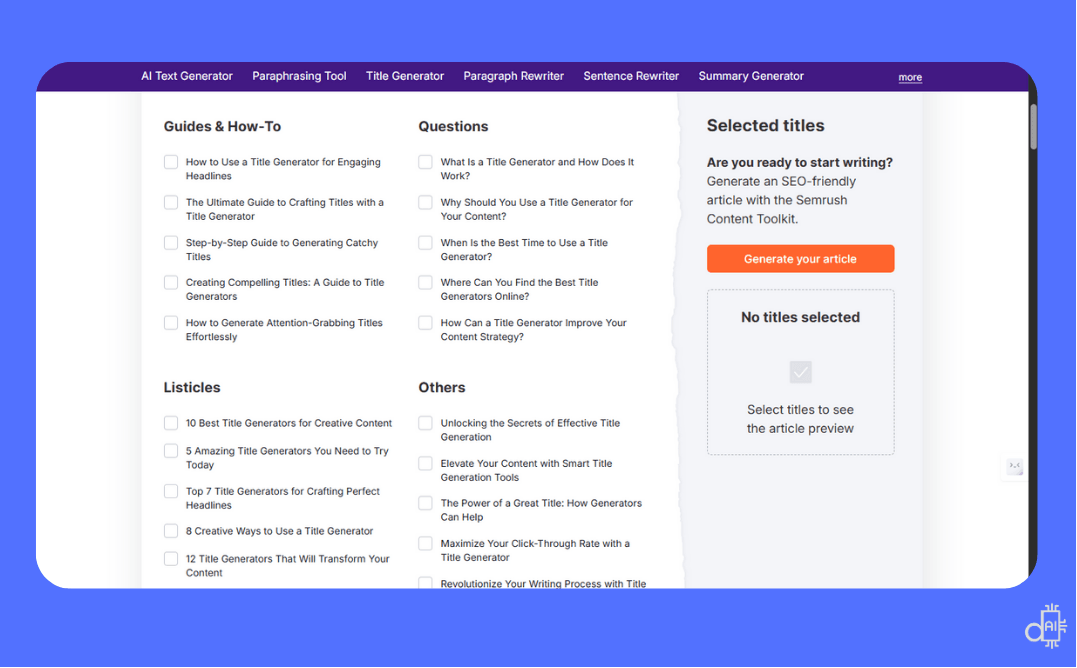
Leveraging the Semrush Title Generator allows you to go beyond generic headings by identifying specific long-tail keyword variations that your competitors might be missing.
Screaming Frog SEO Spider - Audit H1 Tags Across Your Entire Site
Screaming Frog is the industry-standard tool for comprehensive H1 heading audits at scale, perfect for analyzing hundreds or thousands of pages simultaneously.
What it identifies:
- Missing H1 tags - Pages without any H1 heading
- Duplicate H1s - Multiple pages sharing identical H1 text
- Multiple H1s per page - Pages with more than one H1 tag
- H1 length issues - Headings that are too short or too long
- Complete heading hierarchy - Full H1-H6 structure across your site
How to use:
- Download and install Screaming Frog SEO Spider (free version handles up to 500 URLs)
- Enter your website URL and start crawl
- Navigate to "H1" tab to view all H1 headings site-wide
- Filter for missing, duplicate, or multiple H1s
- Export results to CSV for bulk optimization
Best for: Technical SEO audits, site migrations, large-scale content optimization projects, and maintaining H1 consistency across enterprise websites with hundreds of pages.
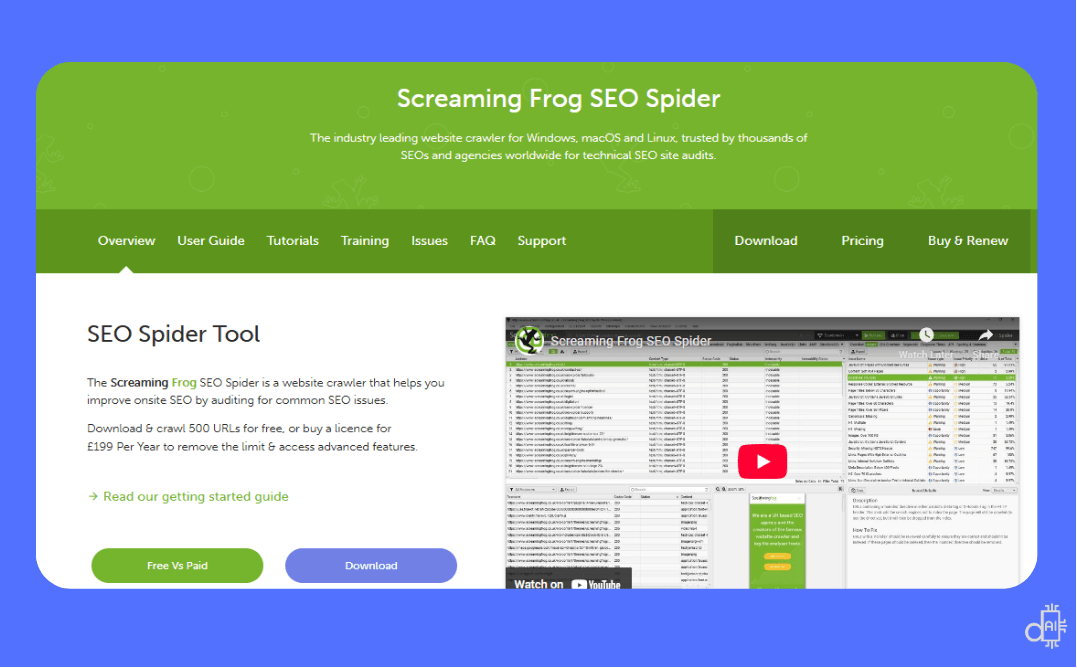
Screaming Frog is an essential tool for performing technical SEO audits at scale, allowing you to analyze the h1 title structure of up to 500 URLs for free.
MonsterInsights Headline Analyzer - Complete H1 Score and Audit Tool
MonsterInsights offers a comprehensive headline analyzer that evaluates your H1 headings with detailed scoring and actionable improvement suggestions.
Key features:
- Headline score (0-100) - Instant evaluation of your H1's overall quality and effectiveness
- Character count tracking - Real-time display of heading length to ensure optimal 20-70 character range
- Word balance analysis - Evaluates your mix of common, uncommon, emotional, and power words
- Sentiment detection - Identifies whether your heading feels positive, negative, or neutral
- Improvement suggestions - Specific recommendations to strengthen clarity, engagement, and SEO value
- Preview display - Shows how your H1 appears in search results and on different devices
How to use:
- Visit monsterinsights.com/headline-analyzer
- Enter your H1 heading text
- Review your overall score and detailed breakdown
- Implement suggested improvements
- Re-test until you achieve 70+ score
Best for: Getting objective feedback on H1 quality before publishing, especially helpful when choosing between multiple heading options generated by AI tools. The detailed scoring system helps identify weak areas you might overlook manually.
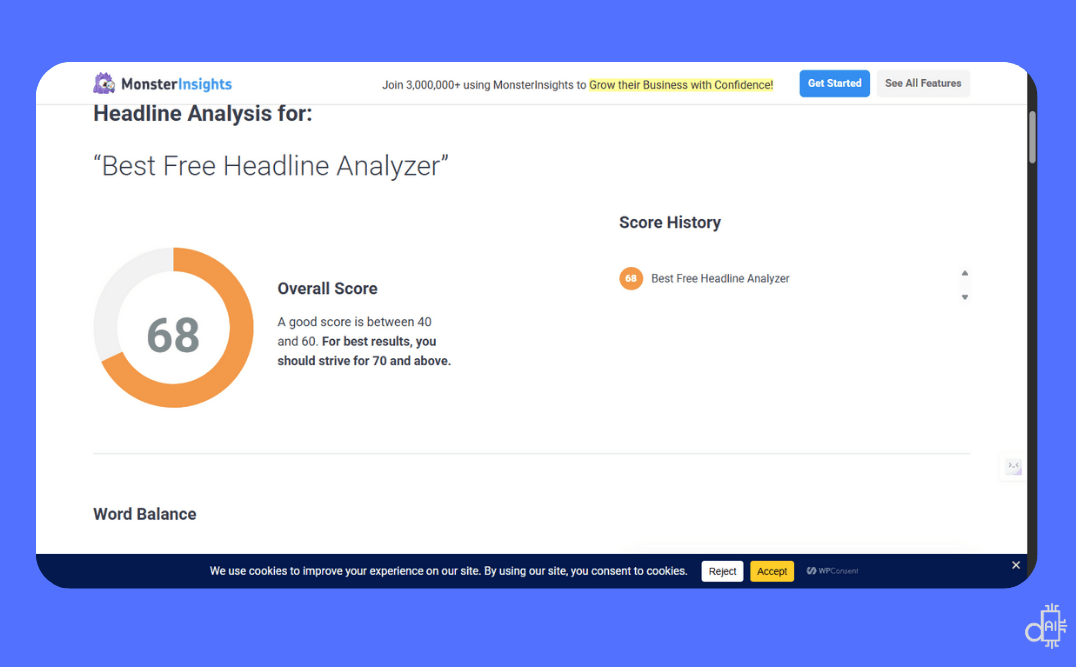
Using the MonsterInsights Headline Analyzer allows you to receive an instant quality score from 1–100 for your h1 title, ensuring every headline you publish is optimized for maximum impact.
MozBar - Browser Extension for On-Page H1 Analysis
MozBar is a free Chrome extension from Moz that provides instant on-page SEO analysis, including H1 heading inspection directly in your browser.
What it shows for H1 headings:
- H1 tag content - Displays your current H1 text without viewing source code
- H1 count verification - Confirms whether you have one, multiple, or missing H1 tags
- Complete heading hierarchy - Shows all heading tags (H1-H6) in structured order
- Page authority metrics - Evaluates overall page strength alongside heading analysis
- Keyword highlighting - Identifies keyword usage throughout headings and content
How to use:
- Install MozBar extension from Chrome Web Store
- Navigate to any webpage you want to analyze
- Click the MozBar icon to activate
- Scroll down to "Page Elements" section
- Review H1 tag details and heading structure
Best for: Quick on-page SEO checks while browsing competitor sites or auditing your own pages.
The combination of H1 analysis with domain authority metrics helps you understand both technical optimization and competitive positioning simultaneously.
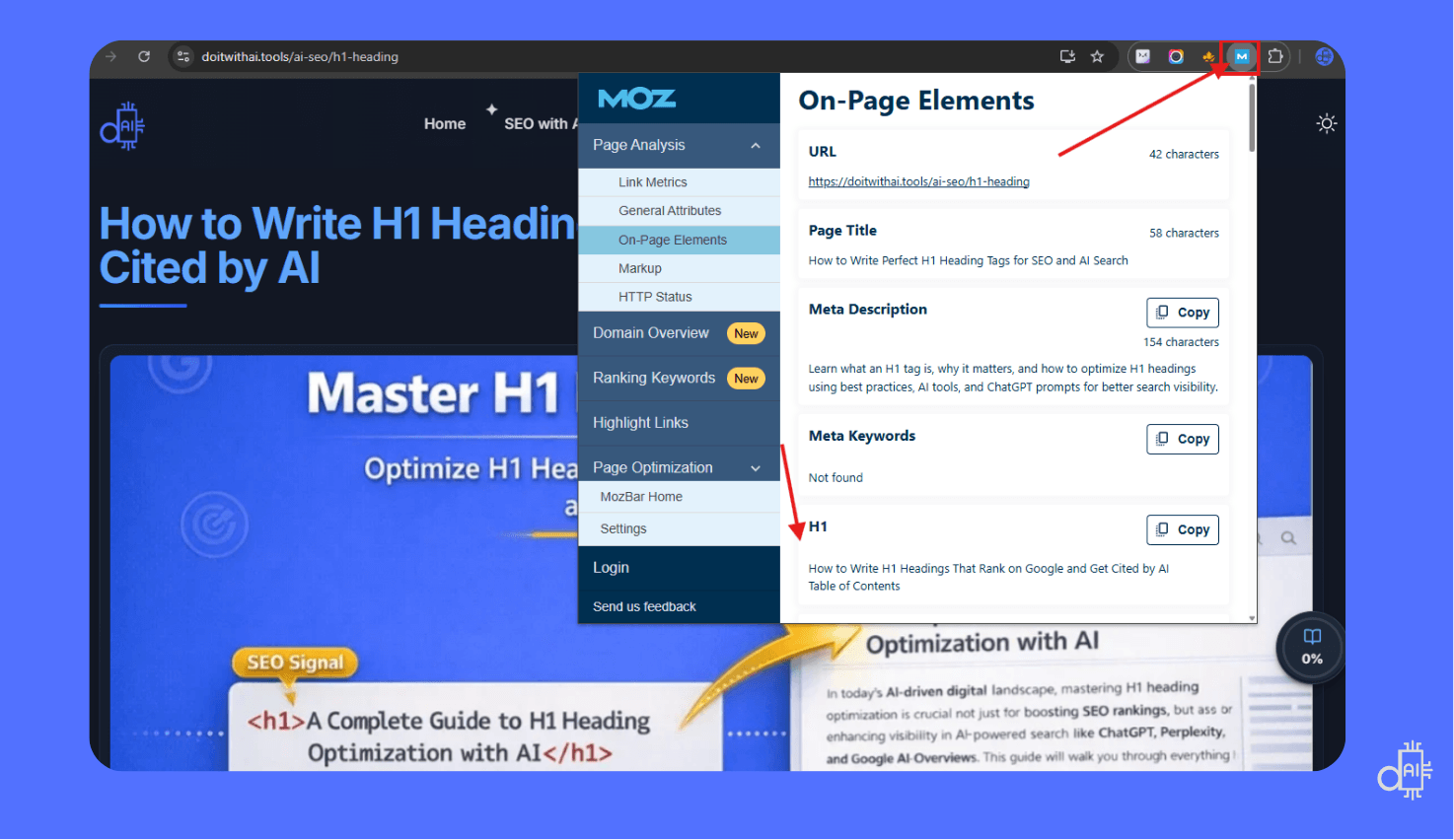
MozBar is a versatile free extension that provides instant on-page SEO analysis, helping you verify your h1 title content without ever viewing the source code.
Ready to Transform Your H1 Strategy?
You now understand how to create H1 headings that serve users, search engines, and AI systems at the same time.
From distinguishing H1s from meta titles to applying proven optimization formulas and AI-powered prompts, you have everything needed to improve visibility and engagement.
Start by auditing your existing pages for missing or duplicate H1 tags, then apply these best practices to new and underperforming content.
When your H1 headings align with strong meta titles, clean URLs, and structured data, they help search engines rank your pages and AI models reference them with confidence.
Master your H1 headings, and you strengthen the first signal that shapes rankings, user trust, and AI-driven discovery.